Heading
17
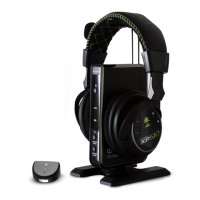
Tune your XP510 headset with modes for music, movies and games. It also features several built-in presets for chat or
voice effects.
Game Mode
Presets and Modes
Choose from the following Game Presets:
Choose from the following Chat Presets:
Main: Incorporates Dolby
®
surround sound processing for an immersive audio experience.
1. Flat: Hear stereo game sound without effects processing or Dolby Surround Sound.
2. Bass Boost: Hear and feel the rumble of deeper bass sound effects.
3. Treble Boost: Boost high frequencies for crisper sounds and greater clarity.
4. Bass Boost + Treble Boost: Rumbling lows and pristine highs come through clearly.
5. Stereo Expander: Stereo processing with a 3D effect that allows you to focus on subtle audio cues.
6. Action Enhancer: Amplify intense sounds from weapons and explosions.
7. Footstep Focus: Focus on the sound of enemy footsteps approaching.
8. Superhuman Hearing: Boosts low volume sounds.
Main: Chat Boost automatically increases the online chat levels during intense gaming sequences, so communication
from teammates isn’t drowned out.
1. Flat: Straight chat with no processing.
2. Chat Focus: Boosts mid-range frequencies for greater concentration on chat.
3. Chat Expander: Widens the virtual sound field of chat.
4. Voice Amp: Amplifies chat volume.
5. Hi-Pitch Morph: Morph your voice into a high-pitch tone.
6. Lo-Pitch Morph: Bring your voice to demonic depths.
7. Robot: Transform your voice into a metallic sound.
8. Max Chat: Combines presets in an enhanced chat package.
Music Mode
Optimal stereo processing for concert-like sound.
Movie Mode
Multi-channel immersion into the action.
Multi-channel immersion while optimizing for competitive play.
Chat Presets
Chat presets can be used regardless of what mode you are using.














 To Next Page