7
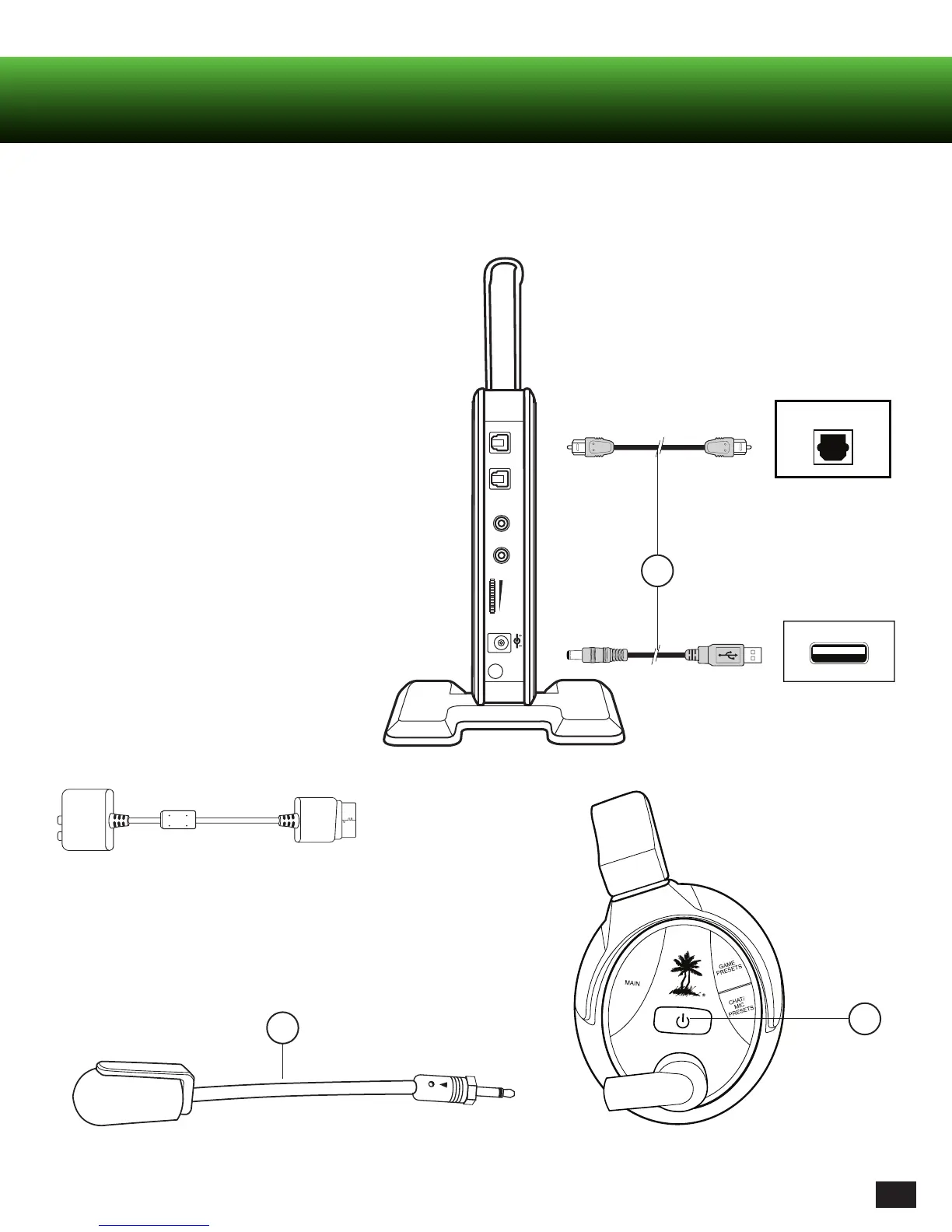
Optical Cable
USB Transmitter Power Cable
2
3
CONSOLE
DIGITAL OUT
CONSOLE
USB
DIGITAL
IN
OUT
L
LINE IN
LINE IN
VOLUME
DC 5V
R
1
* Original Xbox 360 models require Xbox 360 HDMI
Audio Adapter Cable (sold separately).
Setting Up (Connections etc.)
RF Transmitter Set Up
1. Connect optical cable (DIGITAL IN)* and transmitter
power cable (included) to game console.
2. Insert Microphone Boom.
3. Power headset ON.
- Press and hold Power button until LED turns solid.
- Listen for voice prompt, “Powering on”.














 To Next Page