44
can press to move to the next TPMS parameter setting. If you are setting up the Number of Wheels
to Display for “CAR 2” or “CAR 3” for the first time, or installing additional TPMS sensors to any of the
vehicle selections, follow the instructions below:
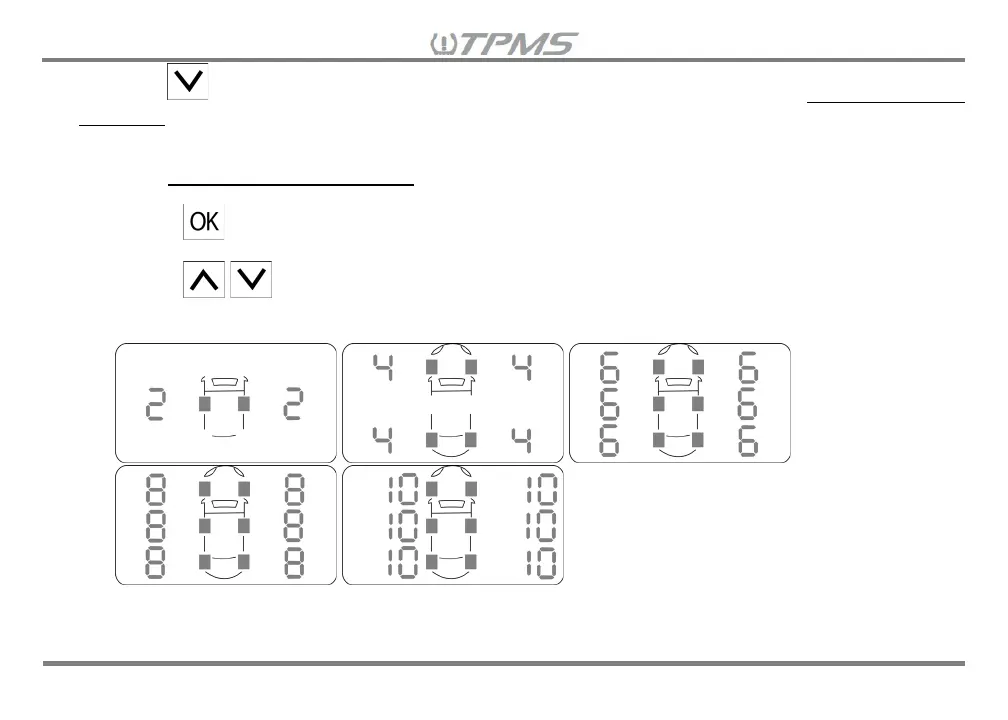
8.2.1 The Number of Wheels to Display setting screen will show the default wheel number.
8.2.2 Press and the wheel number will blink.
8.2.3 Press to increase/decrease the number of wheels to display. The number of wheels to
display increase/decrease in increments of two.


 To Next Page