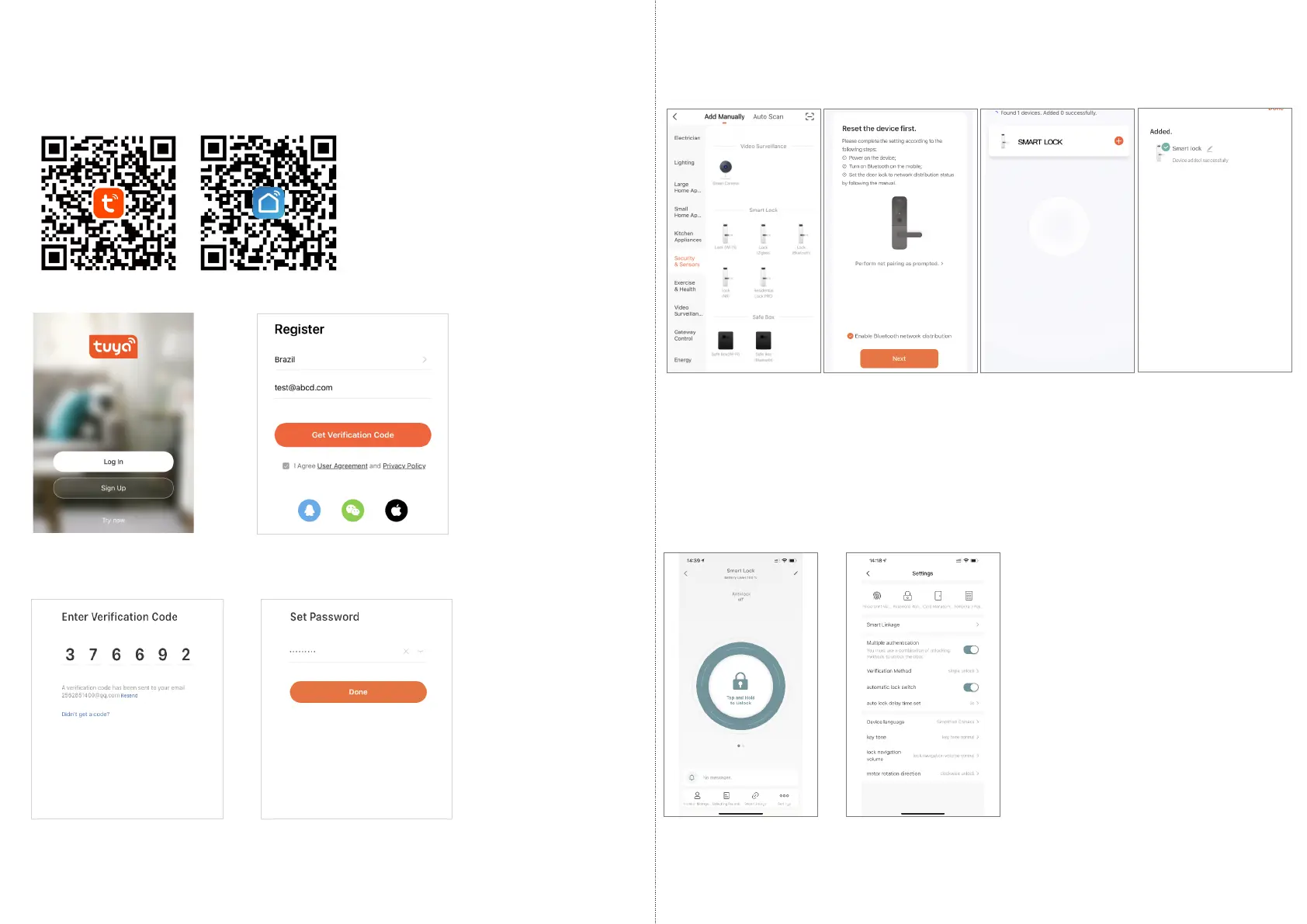
Please run the Tuya smart APP and choose the Bluetooth lock
under the “Security&Sensors”.
Step 2
5.1 Please register one account with your E-mail or mobile number.
5.1.1 Sign Up
5.1.2 Enter mobile or mail
Get Verification Code
5.1.3 Enter the code sent
to your mail or mobile
Please download the Tuyasmart or Smart life on Apple store or
Google play. also you can scan the QR code below to download
the APP directly.
5.Tuya APP Settings
5.2 Intelligent Configuration
5.1.4 Set password and login
Step 1 Step 3
Step 4
Choose Lock
(Bluetooth)
Activate the keypad
Click “Next”
Find the lock
Click the Plus
Done
Under Tuya smart APP interface, you can see the features for the
smart locks, such as Memeber /unlock records and settings etc.
5.3 Function Description
9
10



 To Next Page