EN EN
3.8 Lock the keyboard:
You can activate or deactivate the child lock function by pressing buttons "➁"
+ "➂" for more than 2 seconds at the same time, or by using the "Child Lock"
option on the app.
Press button "➁"+button "➂" for 2 seconds
3.7 Wash bin:
①Please power off the machine first!
②Open the buckle of the barrel compartment, lift the bin.
③Dry the bin before loading it back to the base!
Notice:
If the indicator of bin icon lights up, please restart the machine or click the button "➁" to make it
clear once.
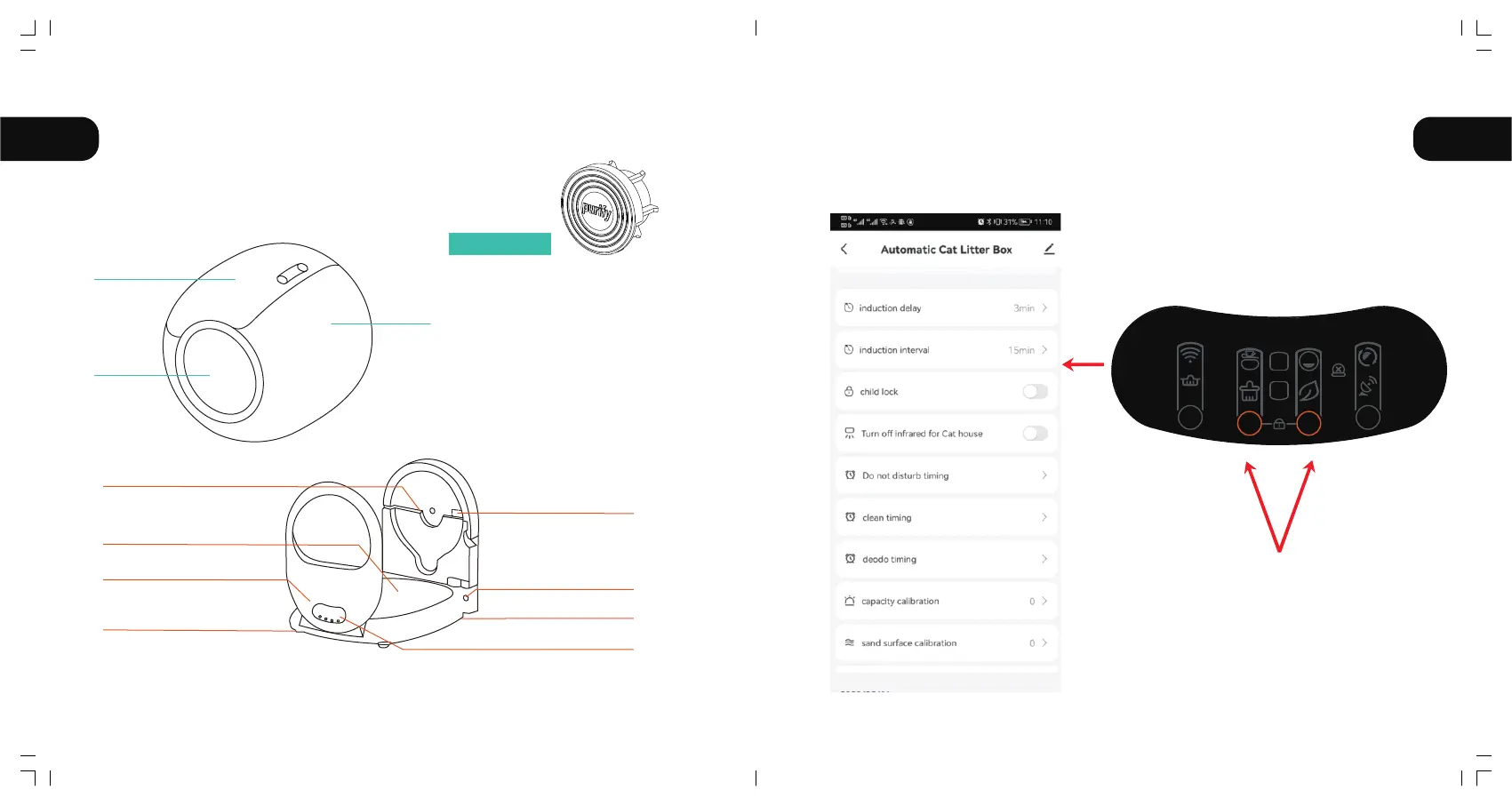
7.when wash bin, the rubber plug
in the ball chamber can be
taken out to facilitate drainage;
2.This accessory can prevent the
lively cat from excreting into the
shaft hole, and the loss will not
affect the function of the product;
3.When installing, please pay
attention to the direction of
"purify" on the front.
Waste bin
Barrel
Entrance
Barrel shaft Fixed groove
Host
Infrared sensor
4 Weiaht sensors
Ion Purification module
Power socket
Clasp
Display and Control Panel
Optional parts
23
AUTO
FULL
1 4
32
24



 To Next Page