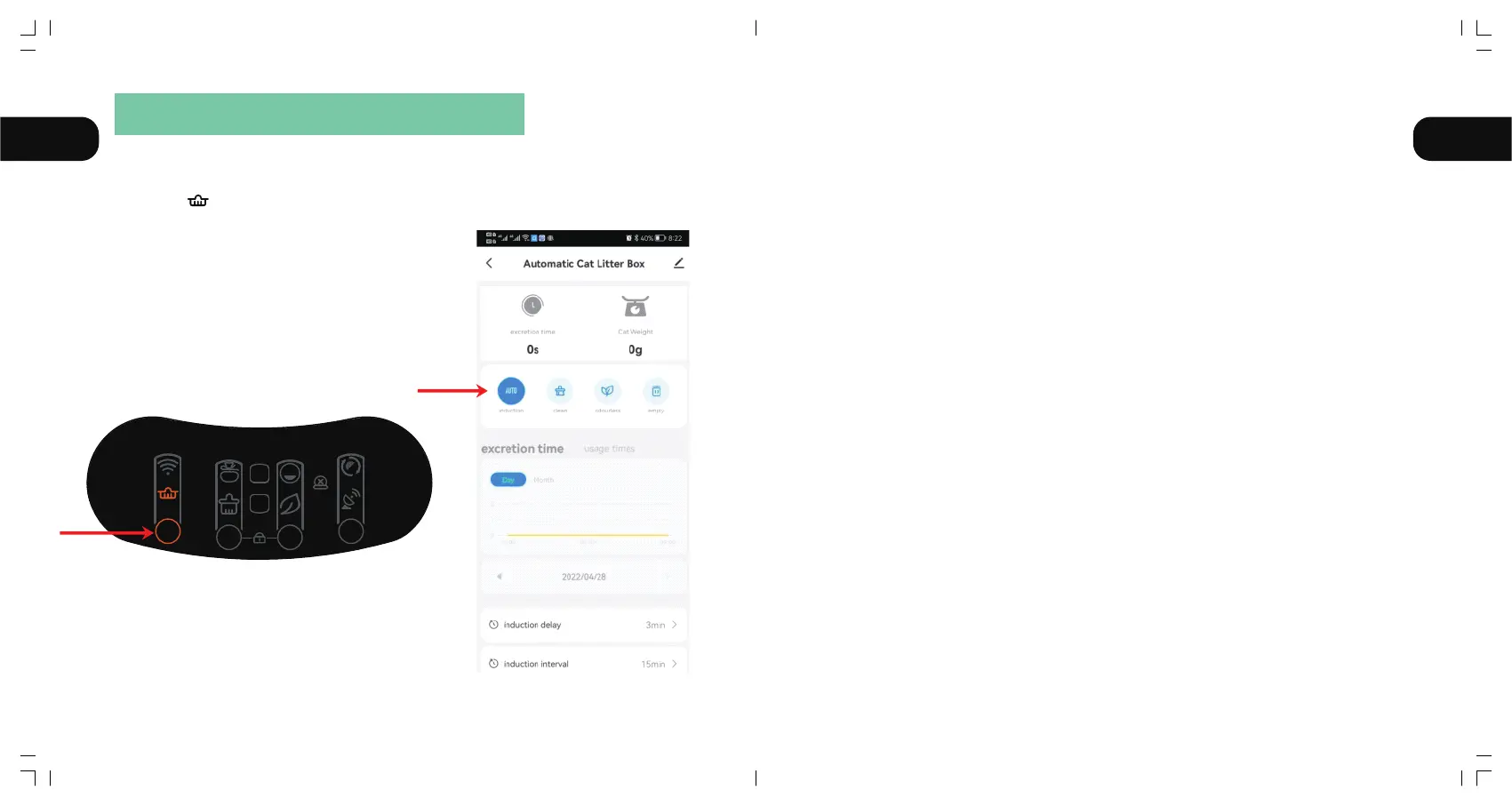
3.1 Auto:
Click the button "①" on the product panel, or click the "AUTO"on the app.
Make the " "icon light up.
Notice:
①After the product is powered on and the self-check reset is completed, the inductive cleaning
mode will be automatically turned on. If you turn off this mode for other needs, you can turn on
the inductive cleaning function by clicking the button "➀" again.
②If you are using litter that clumps quickly, you can adjust the "cleaning wait time" in the App,
such as 1 minute, to clean the litter as quickly as possible and reduce the smell. If you are a
multi-cat family, you can adjust the "cleaning interval" in the App, for example 30 minutes, so
as to avoid repeated ineffective cleaning of the product.
③If the cat enters the bin for more than 10 seconds, the cat is judged to have potty behavior.
After the cat leaves for 3 minutes, the automatic cleaning procedure will be performed.(The
default interval between cleanups is 15 minutes to prevent the product from being started
too frequently during multiple cats use. If the machine don't work after your second cat
pees, it may because the interval these two pees is less than 15 minutes.)
④The button on the App cannot be closed/opened or synchronized with the panel temporarily,
please check the network status or re-configure the network or click the corresponding
button on the App and repeat once ortwice.
AUTO
AUTO
FULL
1 4
32
EN EN
Ⅲ OPERATING INSTRUCTIONS
11 12



 To Next Page