18
Note:
1. The U disk will be formatted when in burning, please do not store important files
in the U disk.
2. When you play recording files, press “T.SHIFT” button to paused.
3. Press “ ” button for the first time to start recording, for the second time, the sign
of recorder will be slimmed down, but it's still under recording.
CI Operation
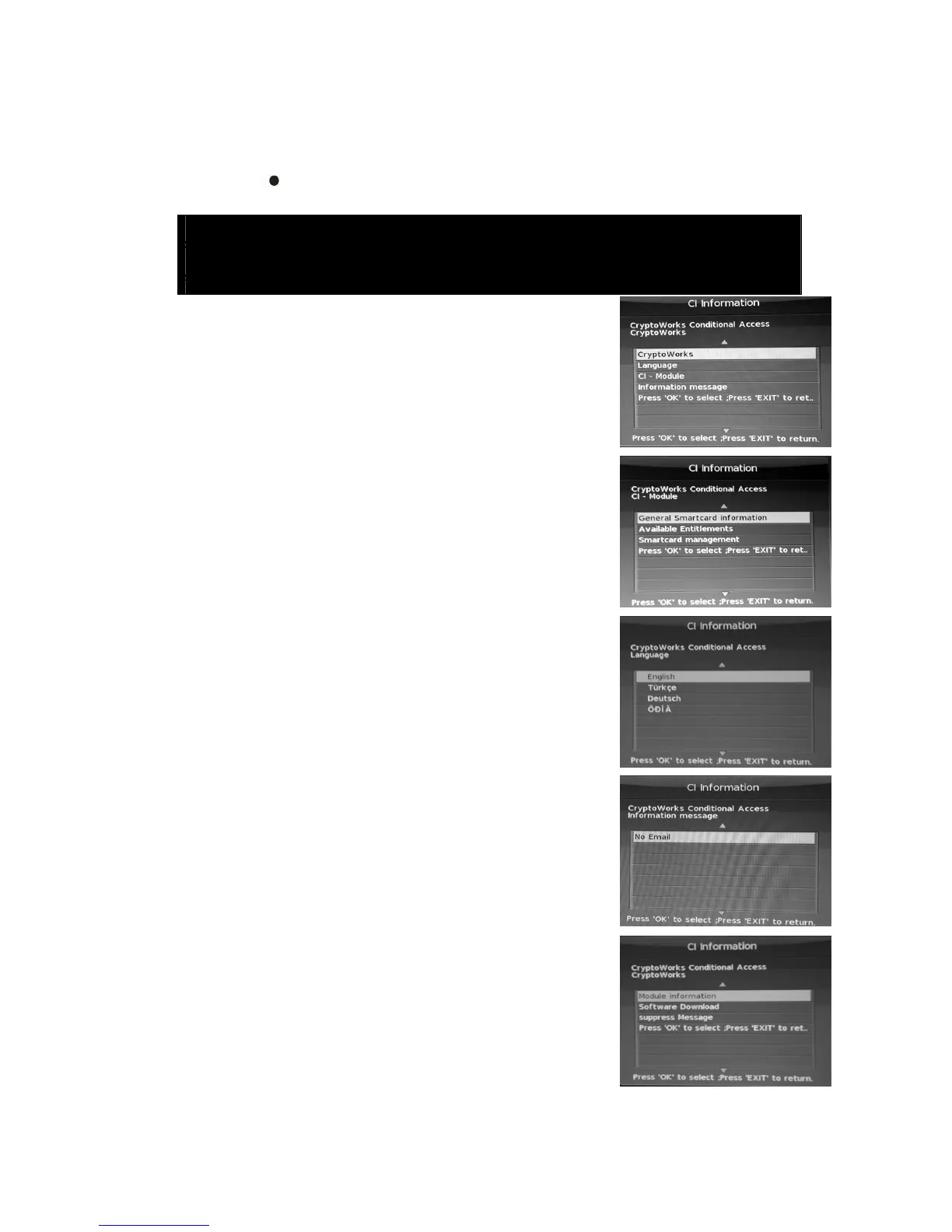
When you enter the CI status, the window is illustrated as
followed:
1 Crypto Works
Press “/” button to select “Crypto Works” and press
the “ENTER” button to enter Crypto Works menu .
2 Language
Press “/” button to select “Language” and press the
“ENTER” button to enter the Language menu . Press the
“/” button to select the local language . Press “MENU”
button to return the previous menu. Press “EXIT” button to
exit.
3 CI-Module
Press “/” button to select “CI-Module” and press the
“ENTER” button to enter the CI-Module .
4 Information message
Press “/” button to select “Information message” and
press the “ENTER” button to enter the Information
message .
Note: The pic is provided for reference only since the
info displayed will be different according to different
CI card.



 To Next Page