14
info displayed will be different according to different CI card. The concrete operations
see following " CI " the introduction
7. Press “/” button to select “Recorded List” and
press the “ENTER” button to enter .
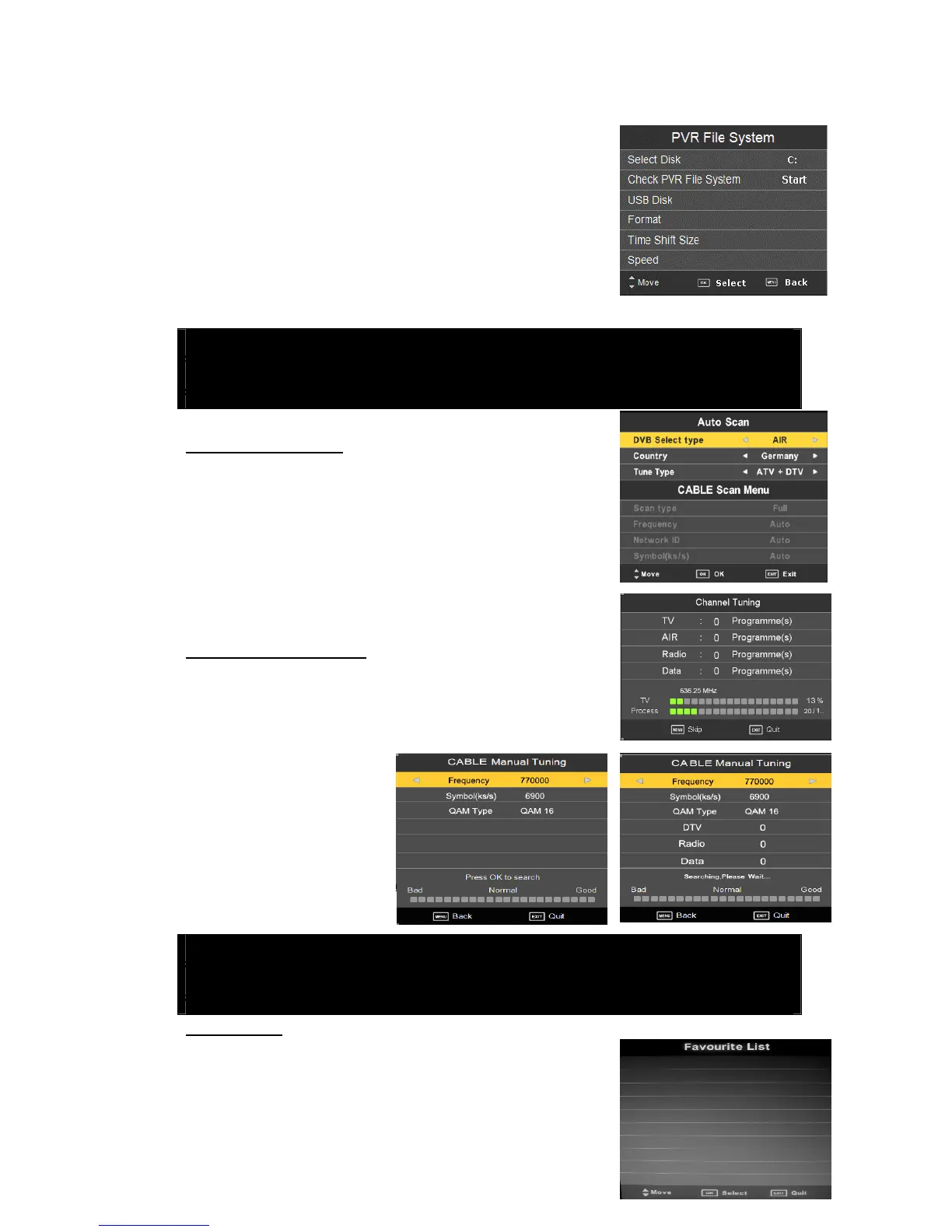
8. Press “/” button to select “PVR File System” and
press the “ENTER” button to enter .
Note: The concrete operations see following " PVR "
the introduction
1 DVB-T & C Tuning
DTV Manual Tuning
Press “/” button to select “Auto Tuning” and press the
“ENTER” button in auto scan menu.
Press “/” Select “DVB Select type” to air
Press “/(/” button to select the Country or tune type do
auto search.
CABLE Manual Tuning
Press “/” button to select “Auto Tuning” and press the
“ENTER” button in auto scan menu.
Press “/” Select “DVB Select type” to cable
Press “/(/” button to
select the Country or tune type
do auto search.
2 DTV Features
Favorite List
When the source is selected as DTV, user can enter
FAVORITE LIST by pressing “FAV” button. The “Favorite
List” window is illustrated as follows



 To Next Page