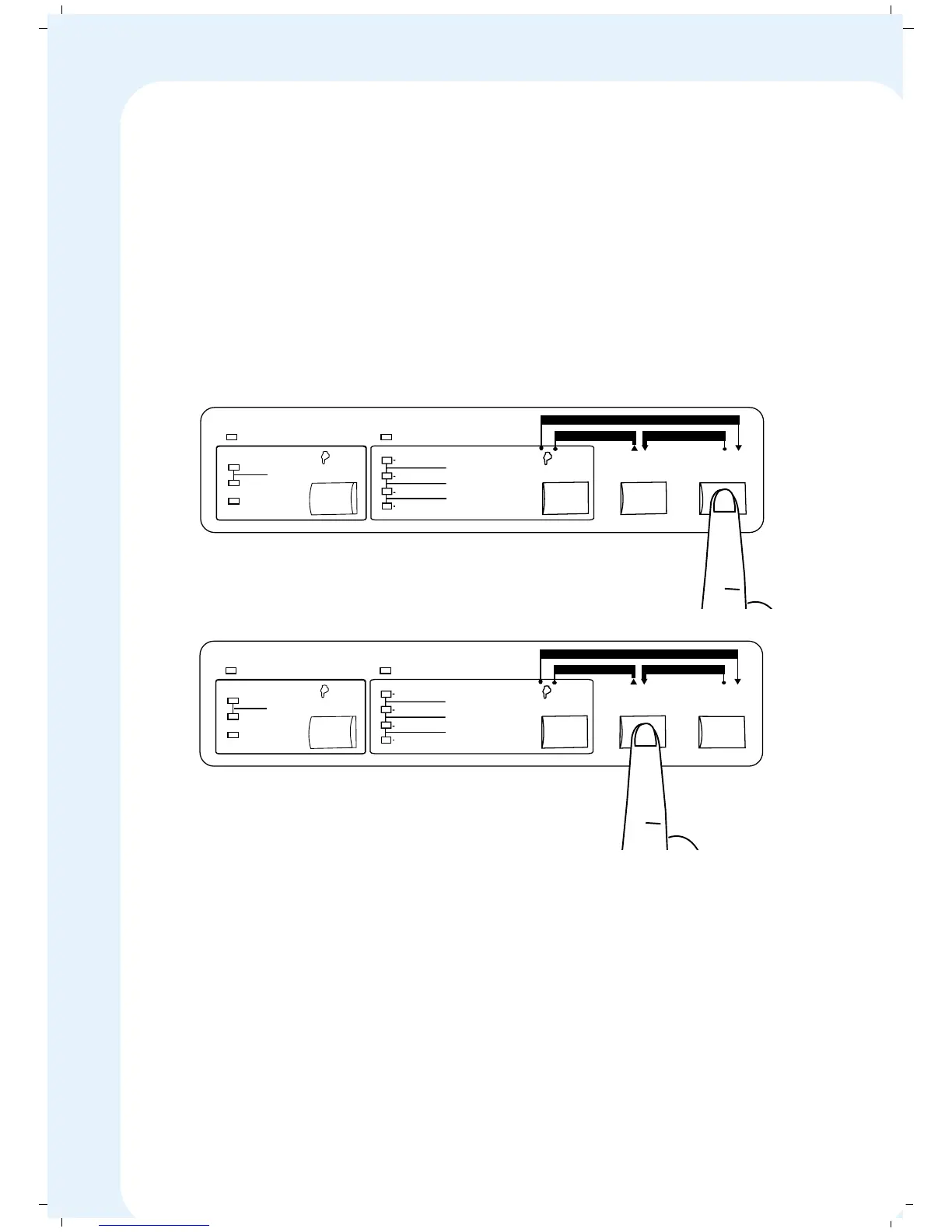
3. When the next set of data is sent to the printer (say the data for next
ticket), the paper is automatically retracted to the appropriate printing
position. Then the printing starts.
4. When a print job ends in the middle of a page, press the ONLINE key to
take the printer OFFLINE, and then hold the LF/FF key for 2 to 3 seconds
to advance the paper to tear-off position. Do not use the paper feed knob
to adjust the paper position. The paper perforation lines up with the Tear
bar only if the Tear-Off feature is ENABLED in the MENU Programming.
5. Please note that for the Paper Tear-off feature to work properly, the Form
Length in the MENU Programming should be set to the exact length of the
form you use. If the Paper perforation does not line up with the tear bar,
check the length of the paper against the form length setting on your
printer.
6. If you do not want the paper to automatically advance to the Tear-Off
position, disable the Tear-Off feature in the Menu programming. If the
Tear-Off feature is disabled, press LF/FF switch ONLINE to advance
the paper to tear-off position.
MENU
Mode
DRAFT
ROMAN
SANS SERIF
COURIER
FONT
MENU
SELECT
Save
PRESTIGE
ORATOR
SCRIPT
PAPER TEAR
ONLINE
LF/FF
PAPER PARK
FORWARD MICROFEED REVERSE MICROFEED
10 CPI
PROPORTIONAL
Copy
Mode
PITCH
Exit
12 CPI
CONDENSED
ON LINE COPY MODE
MENU
Mode
DRAFT
ROMAN
SANS SERIF
COURIER
FONT
MENU
SELECT
Save
PRESTIGE
ORATOR
SCRIPT
PAPER TEAR
ONLINE
LF/FF
PAPER PARK
FORWARD MICROFEED REVERSE MICROFEED
10 CPI
PROPORTIONAL
Copy
Mode
PITCH
Exit
12 CPI
CONDENSED
ON LINE COPY MODE
47


 To Next Page