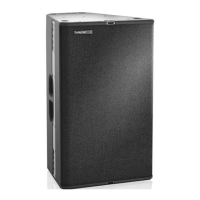
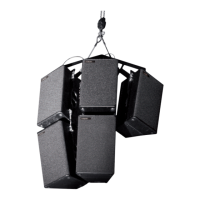
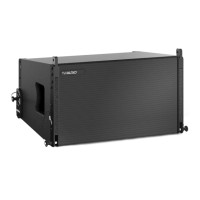
10
VERA10 Operating Manual
To create a cable connection with an amplifier rack from TW AUDiO, proceed as follows.
A VERA10 loudspeaker can only be operated with a DSP controller. TW AUDiO only
recommends using presets developed by TW AUDiO. The TW AUDiO system racks are
ideal for this purpose.
4.3 Connecting cables
NOTE
Ensure that the cable cross section is sufficiently large (at least 1.5 mm²) to avoid power
losses. TW AUDiO recommends using the loudspeaker cables available from
TW AUDiO.
When connecting the cables to the loudspeaker, ensure that the polarity (+/-) and pin as-
signment (1/2) are correct. Incorrect connection results in a significant change in the
loudspeaker sound characteristics and may damage the compression driver.
The pin connections of the VERA10 loudspeaker can be found in section 3.2 “Wiring di-
agram” on page 7.
The two speakON
®
NL4 connectors on the back of VERA10 can be used to link multiple
loudspeakers on a single amplifier output. Note that parallel connection reduces the total
impedance (Ω) seen by the amplifier.
The total impedance of loudspeakers connected in parallel must not drop below the min-
imum operating impedance of the amplifier.
4.4 Operation
NOTE
Ensure that the preset that matches the chosen operating mode (see section 2.3) is re-
called before connecting the loudspeaker to the amplifier.
Operating with an incorrect preset can damage parts of the loudspeaker.
NOTE
Ensure that the amplifier is properly sized according to requirements. Undersizing or
oversizing may damage the loudspeaker.
Please note the technical data in section 3.1.


 To Next Page