ENGLISH
Getting Started — Dual Displays
Windows desktop to open the desktop menu. Click Properties to
open the Display Properties window.
4. In the Display Properties window, click Advanced in the Settings
tab. Click the Display Modes tab.
5. Under Driver mode, you can select the appropriate options to
change the display to an external monitor.
6. Adjustments to screen resolution and color depth can also be
made in this dialog box.
Dual Displays
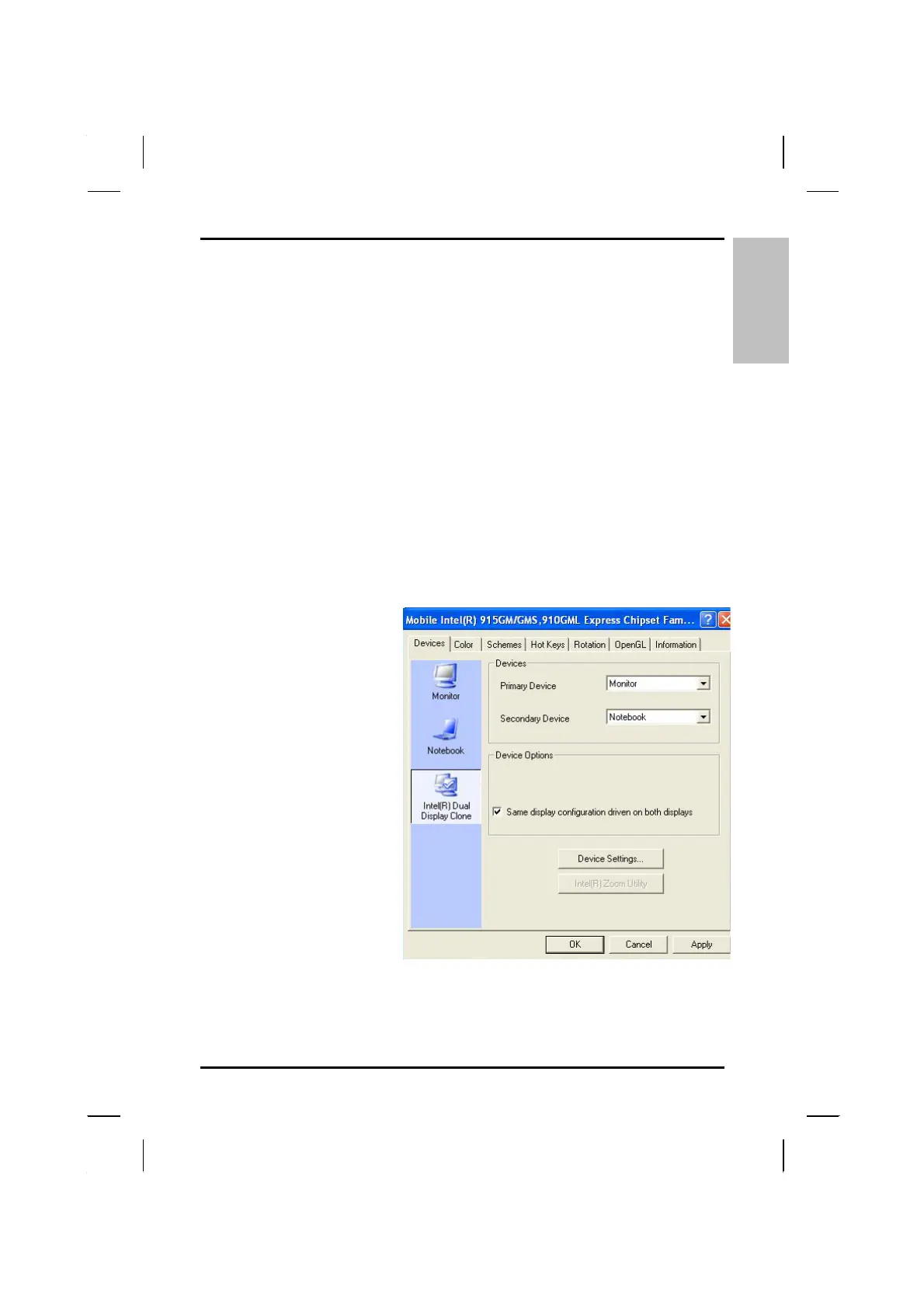
With Windows system, you may use an external monitor simultaneously
with your notebook’s LCD. You may also use the external monitor only and
disable the LCD or only use the LCD. To do this you may first need to
enable the Intel dual display clone in Windows .
1. Open the Control
Panel.
2. Double-click Display.
The Display Properties
window opens.
3. Click the Settings tab.
4. Click the Advanced
button.
5. Click the Intel®
Graphics Media
Accelerator tab. The
screen shown at the
right appears.
These options are described below
.
29



 To Next Page