27
19. Testing
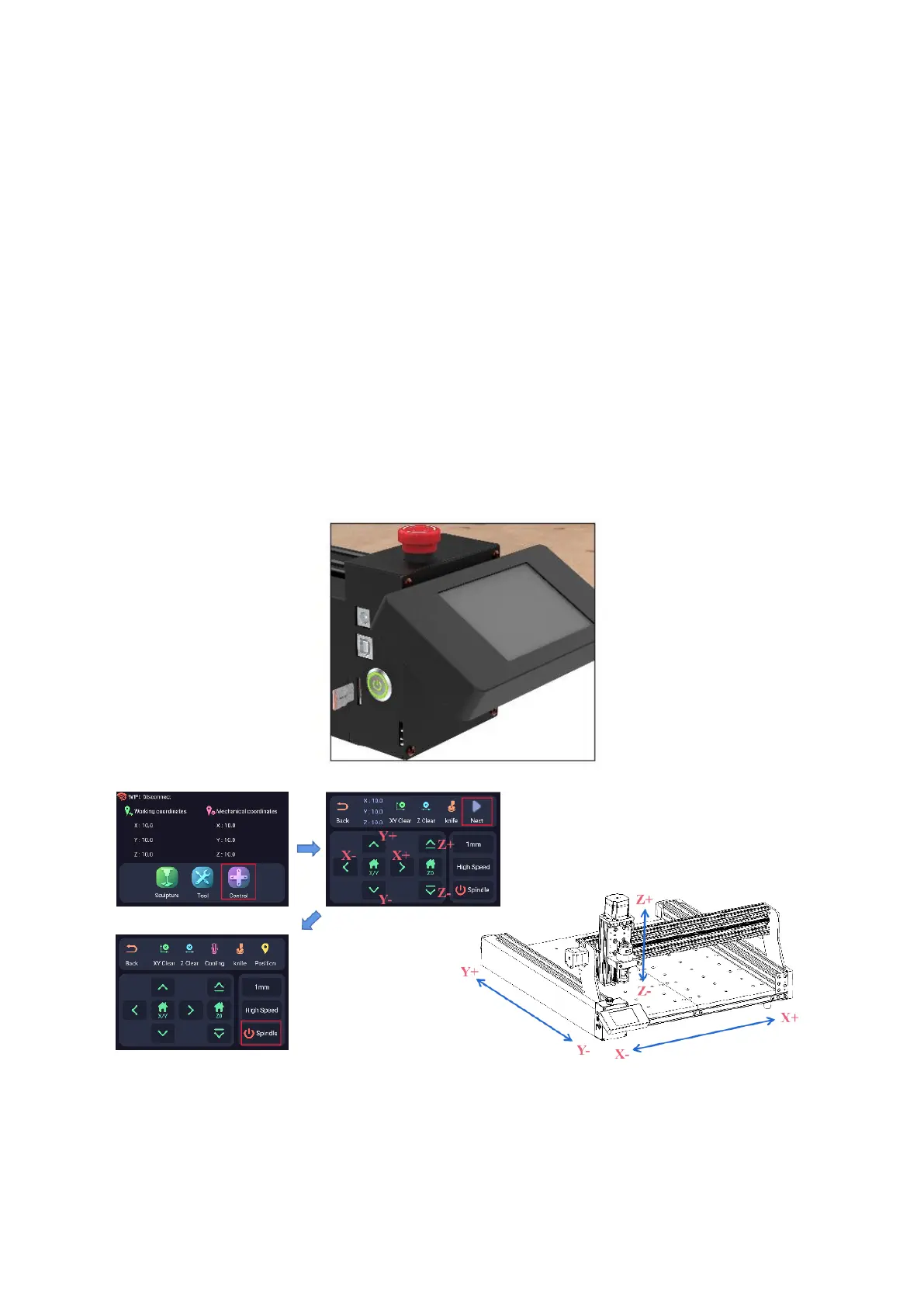
Ensure that the emergency stop switch is in the raised position before proceeding. Plug
in the power supply and press the metal switch; observe the illumination of the green
light as an indicator of successful power-on status. Should the screen illuminate, this
confirms normal power-on functioning. However, in the event the screen remains dark,
power off the system, rearrange the screen line positions, and initiate a reboot.
Select the "Control" button, prompting the XY-axis to move to the machine's bottom left
corner. Utilize the XY Clear and Z Clear functions for resetting. Subsequently, navigate
the XY axis away from the corner. Advance by clicking "NEXT" and proceed to click
"Home" to prompt the XYZ axis to return to the bottom left corner.
To engage the spindle, click the "Spindle" option; repeating the click will halt spindle
rotation. These sequential steps ensure a comprehensive check and calibration of the
system's essential operations.



 To Next Page