29
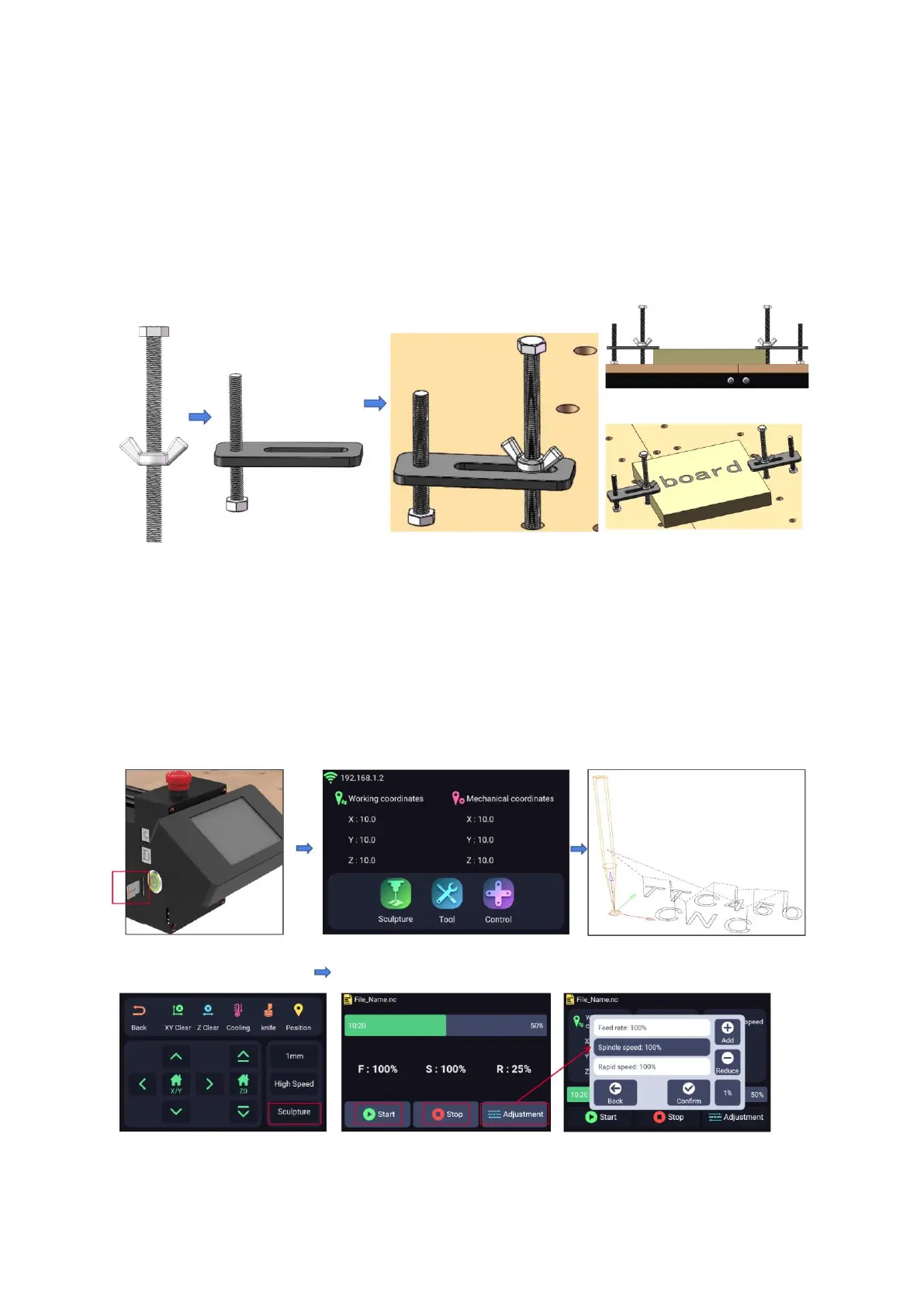
Fixture Installation
Secure the workpiece by adjusting the butterfly nut for proper clamping.
Note: The tool path is designed to circumvent the fixture to prevent any potential
collisions.
Operation Guide
Engraving Using the TS35 Screen
Begin by saving the NC file onto the SD
card and powering on the system.
Initiate the engraving process by clicking
the Sculpture button once more.
Access the Sculpture button to select the
desired NC file for engraving.
For further adjustments, click on the
Adjustment button, granting you the ability to
modify the rate and speed settings.
Utilize the provided option to either
initiate or halt the program's
execution.
Position the XYZ-axis at the origin point,
followed by activating XY Clear and Z
Clear functions.



 To Next Page