31
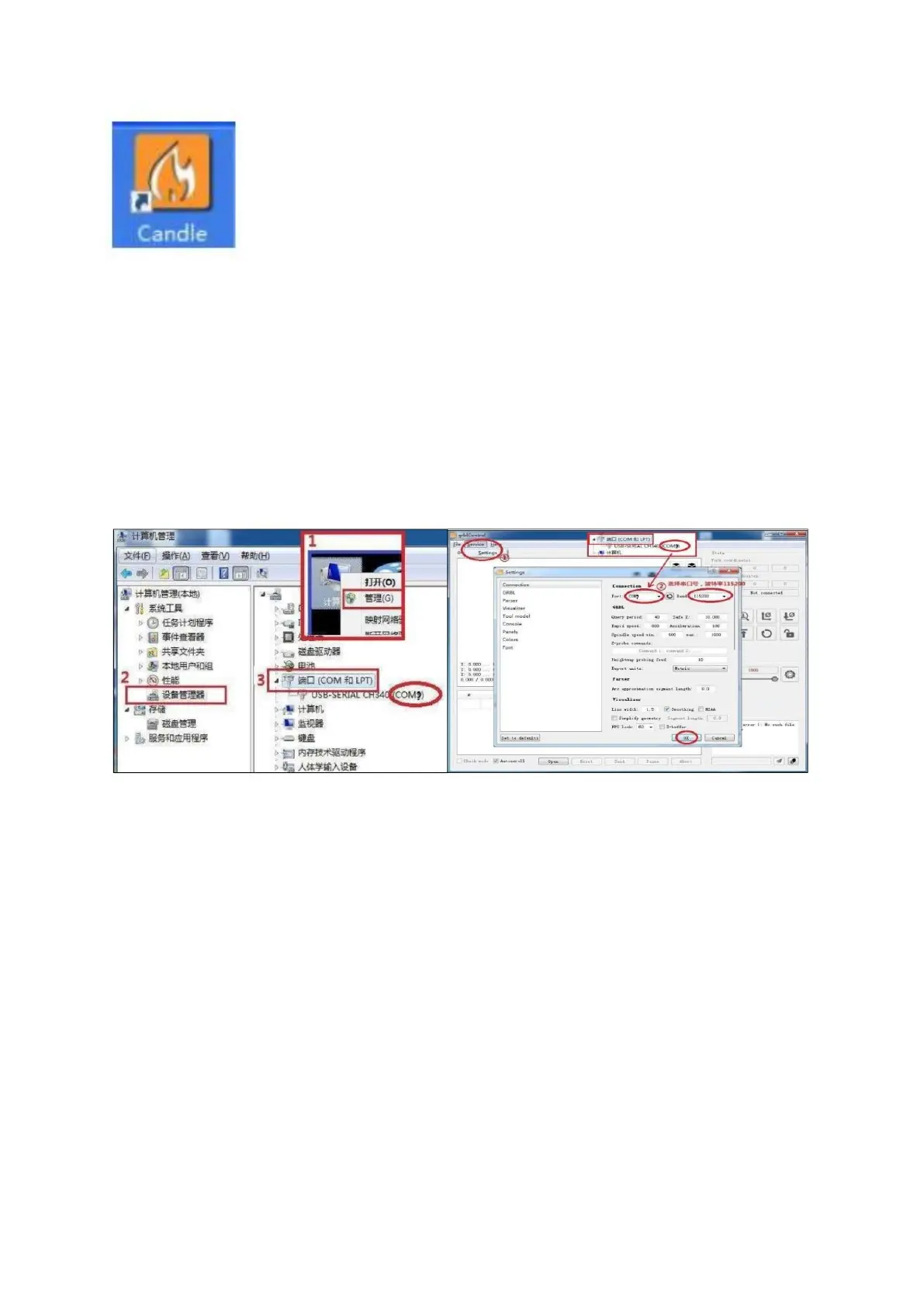
Establish Machine Connection via Candle (Control Software):
Launch the Candle Control Software tailored for CNC 3 Axis carving
control. Begin by configuring the port number, then navigate back to
the software's main interface. The software will initiate an automatic
connection with the machine.
Ensure that the port number matches the one set in the previous step; any discrepancy
will hinder software-machine connectivity. A successful connection will exhibit the main
interface displaying: [CTRL+X] < Grbl 0.9j ['$' for help]. Absence of this display or
appearance of alternate information indicates connection failure. Reevaluate your
adherence to all preceding steps, or alternatively, close the software, disconnect the USB
cable, reattach the USB cable, relaunch the software, set the port number, and once
more attempt to establish machine connection.



 To Next Page