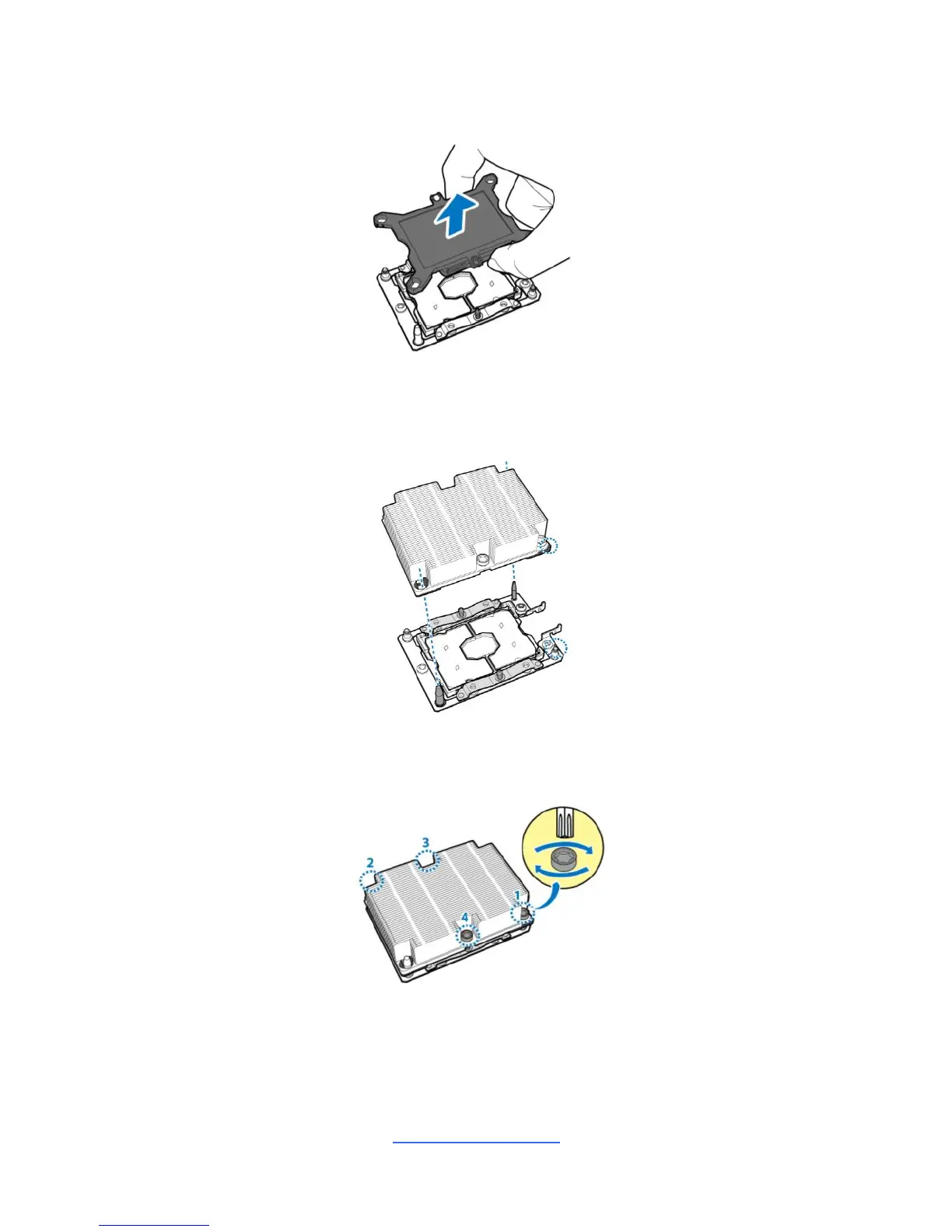
3. Remove the CPU cover. NOTE: Save and replace the CPU cover if the
processor is removed from its socket.
4. Align the heatsink with the CPU socket by the guide pins and make sure the
gold arrow is located in the correct direction. Then place the heatsink onto the
top of the CPU socket.
5. Align the heatsink by the guide pins and make sure the gold arrow is located
in the correct direction. Then place the heatsink onto the top of the processor.



 To Next Page