http://www.tyan.com
164
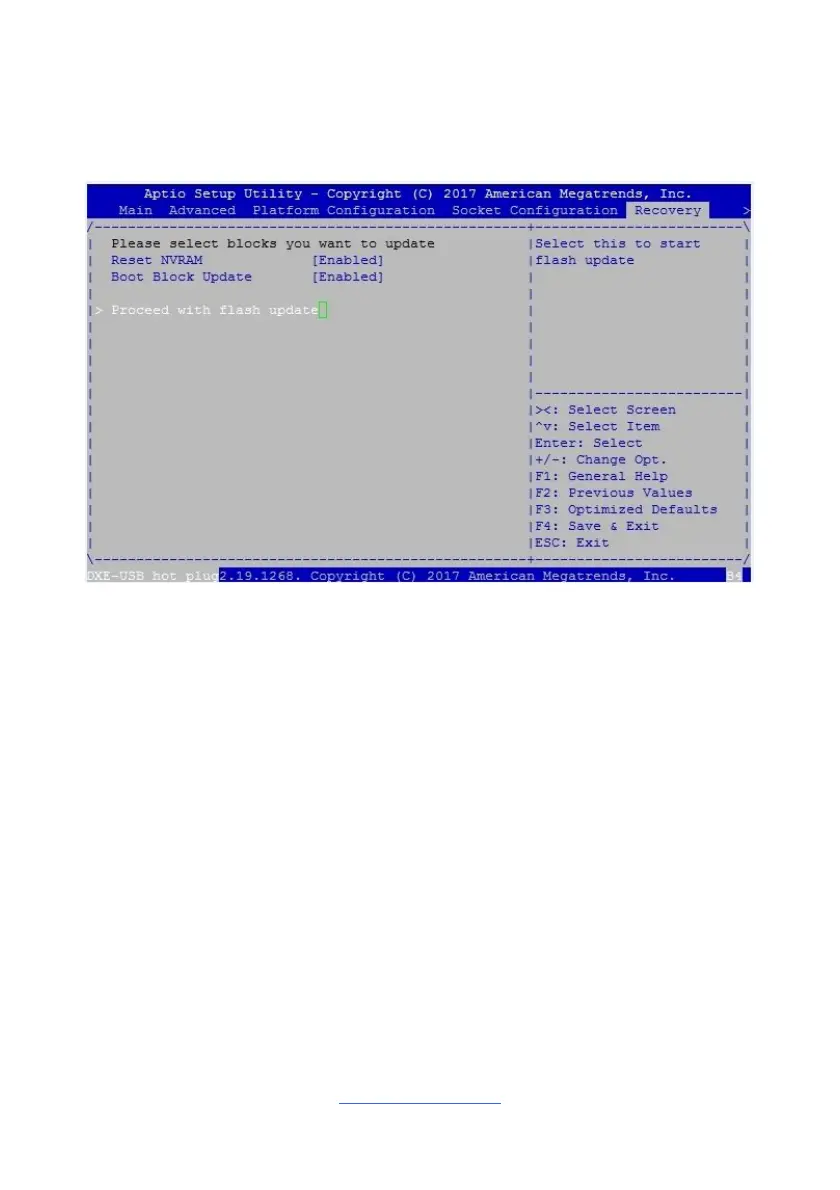
5.The system will boot to BIOS setup. A new menu item will appear at the far right
of the screen. Scroll to the 'Recovery' tab, move the curser to “Proceed with
flash update” and press the "Enter" key on the keyboard to start the BIOS
recovery process.
6.IMPORTANT: Do not power off or reboot the server during the BIOS recovery
process. This can damage the BIOS recovery bootloader and prevent it from
loading a subsequent time.
7.Wait for the BIOS recovery procedure to complete. Completion is signified with
the message “Flash update completed. Press any key to reset the system”
displayed on screen.
8.Remove the USB disk and reboot.
If your system does not have video output or the POST code halts at “FF” on the
right-lower portion of the screen, please contact Tyan representatives for RMA
service.



 To Next Page