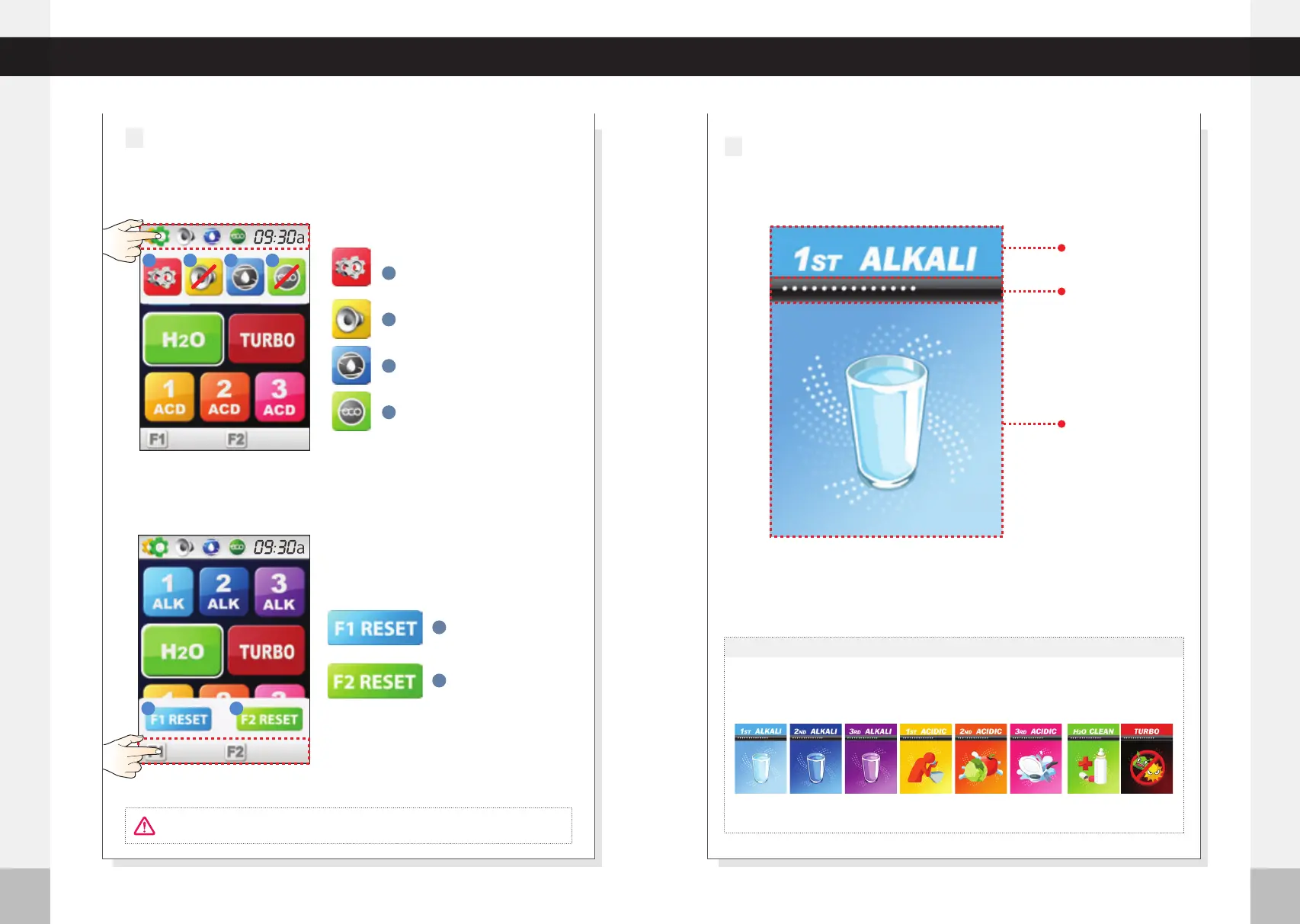
Push the bottom part of LCD Screen. MENU Window appears above
the bottom part of the LCD Screen.
Under Counter Extreme
28 29
Operation Touch Screen
Operation Touch Screen
15:00
Selected mode
Auto flow stop
time indicator
LCD Display
Working indicator
3
1 2 3
4
1 2
Menu window
1
Set up mode
2
Voice on/off
3
Cleaning
4
Eco mode on/off
1
Filter 1 reset
2
Filter 2 reset
Use the Filter Initialization Icon only after the filters have
been changed.
Push the upper part of LCD Screen. MENU Window appears below
the upper part of LCD Screen.
CAUTION!
2
DISPLAYS COLORS
The backlight of the LCD display will match the pH level color according to the
water pH level being used after the icon is pressed.
Alkaline Water 1
light Blue Color
15:00
Turbo
Red Color
05:00
(Approx 8.0 pH)
Alkaline Water 2
Dark Blue Color
15:00
(Approx 9.0 pH)
Alkaline Water 3
Purple Color
15:00
(Approx 10.0 pH)
Acidic Water 1
Light Yellow Color
15:00
(Approx 5.5 pH)
Acidic Water 2
Light Orange Color
15:00
(Approx 4.5 pH)
Acidic Water 3
15:00
(Approx 3.5 pH)
Light Pink Color
Clean Water
Green Color
15:00
(Approx 7.0 pH)
%
50
%
50
%
50
%
50



 To Next Page