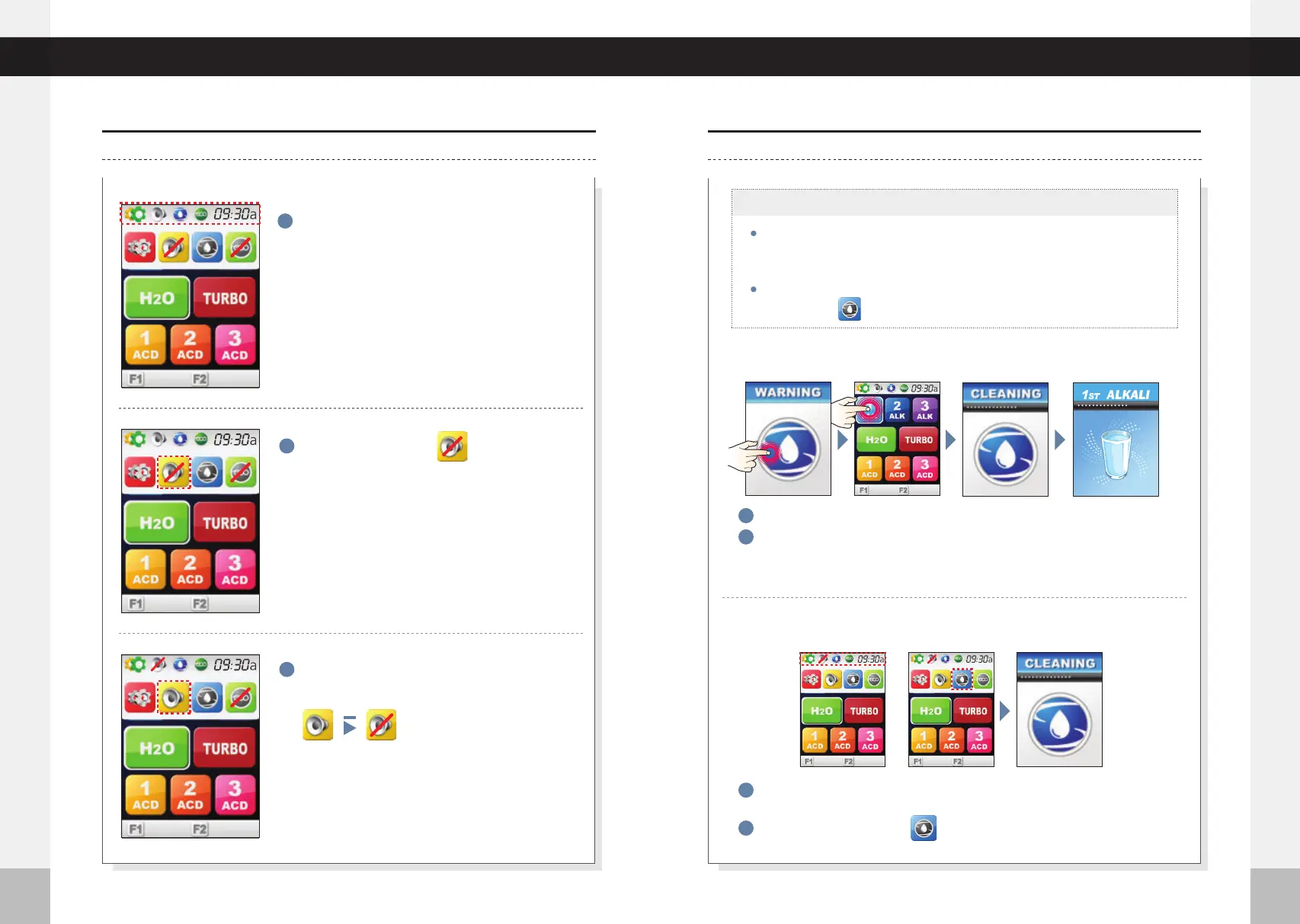
You can choose to Manually Clean your unit whenever you desire by
touching the icon. Manual cleaning takes 15 seconds.
%
50
%
50
Under Counter Extreme
40
41
Cleaning Function
Selecting Voice On/Off
Cleaning Function
Selecting Voice On/Off
User may manually clean the unit whenever desired.
1
If the screen is touched, it changes to stand by mode.
2
When functional water is selected on standby mode, it goes into
automatic cleaning for 15 seconds, and the selected functional water
will be dispensed.
1
Press the top left corner of screen. MENU options will fall below the upper
part of screen.
2
Press the Cleaning icon.
Select the Voice icon.
2
3
1
Press the top left corner of screen. MENU
options will fall below upper part of screen.
Cleaning can take place automatically and/or manually.
The voice will be turned on/off by selecting the
voice icon in this sequence.
The automatic cleaning cycle will run after more than 12 hours of
non-use, or after 30 liters of water outflow. Auto cleaning takes
15 seconds.
:15
Even if the volume is turned off, the warning
notifications will still play through the speaker if
necessary (filter replacement, water not supplied,
TEMP, Cleaning, Setup mode).
※
※Auto Cleaning
※Manual Cleaning
15:00
00:15
00:15
%
50
%
50
%
50
%
50
%
50
%
50
%
50
%
50
%
50
%
50



 To Next Page