
 Need help?
Do you have a question about the TypeS BT56208 and is the answer not in the manual?
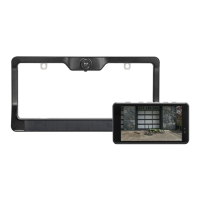
Steps to install the dash monitor, including mounting and power connection.
Instructions for mounting the wireless backup camera to the license plate.
How to turn the dash monitor unit on and off using the power button.
Guide to enabling, disabling, and adjusting the parking aid lines on the display.
Procedure for adjusting the monitor's brightness and contrast levels.
Steps to pair the backup camera with the monitor if the connection is lost.
Tips for safe operation around vehicles, focusing on preventing accidents.
Instructions on how to clean the camera lens and monitor safely.
Details on the limited warranty, conditions, and owner responsibilities.
Contact details for customer support and technical assistance for the product.
 General
| Brand | TypeS |
|---|---|
| Model | BT56208 |
| Category | Automobile Accessories |
| Language | English |

 To Next Page