9
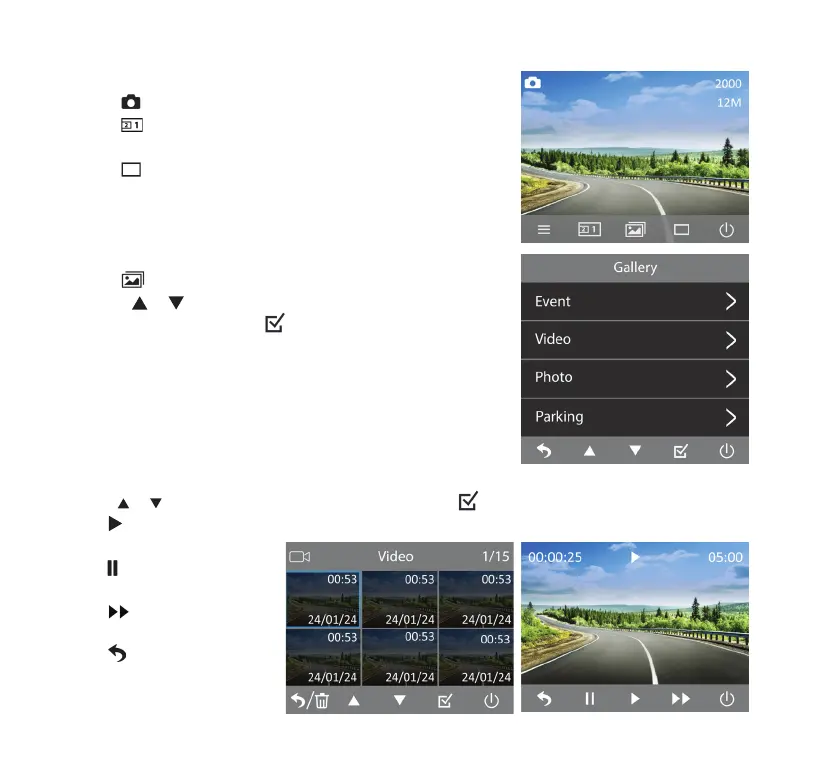
Camera Mode
• Click
to enter Camera Mode.
• Click
to switch between front, interior and picture-in-
picture view.
• Click
to take a photo.
Gallery Mode
• Click
to enter Gallery Mode.
• Utilize
or to cycle through Event, Video, Photo and
Parking folders, then click
to select.
• In each folder, you can select between browsing front and
interior camera footages or photos.
Play Back and Manage Files
• Utilize
or to browse through the previews, then click to open the le in full screen.
• Click
to play back the current video le.
• During video playback,
click
to pause and click
again to resume the video.
• Click
to adjust video
speed to x 2 or x 4.
• Click
to return to the
previews for next video.



 To Next Page