25
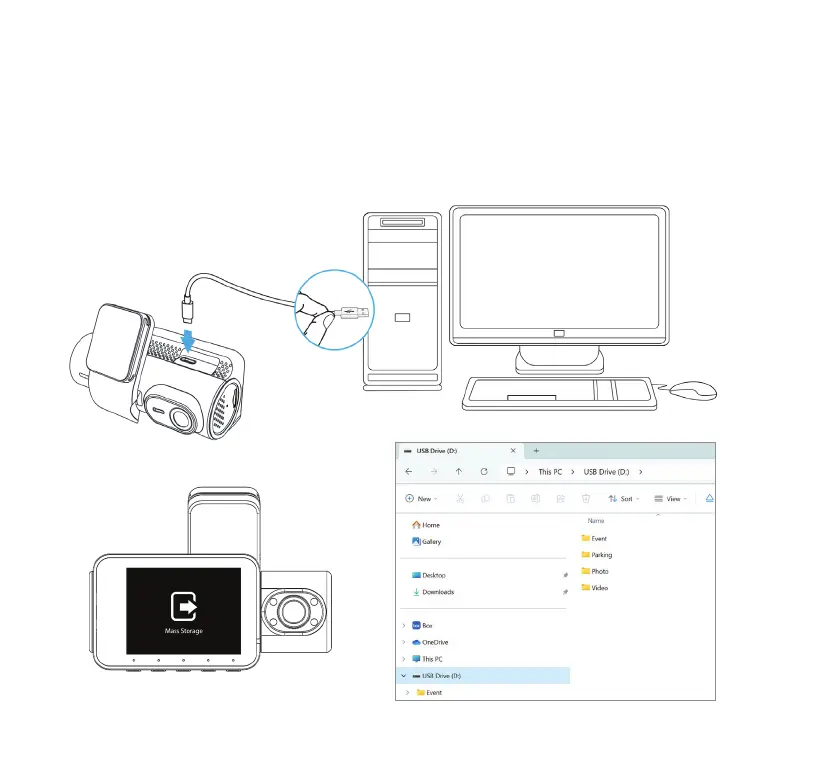
When connected directly to a computer via the cable provided, a pop-up will prompt you to access
Mass Storage Mode. Once conrmed, the screen below will show up. The camera will function as a card
reader for the computer, and it will appear as a new USB drive.
NOTE: The camera will stop recording when connected to a computer.
16. VIEWING AND MANAGING MEDIA FILES USING A COMPUTER
USB-A to USB-C Data
Transfer Cable



 To Next Page