8
8. CONFIGURING THE MENU SETTINGS
Initial Setup
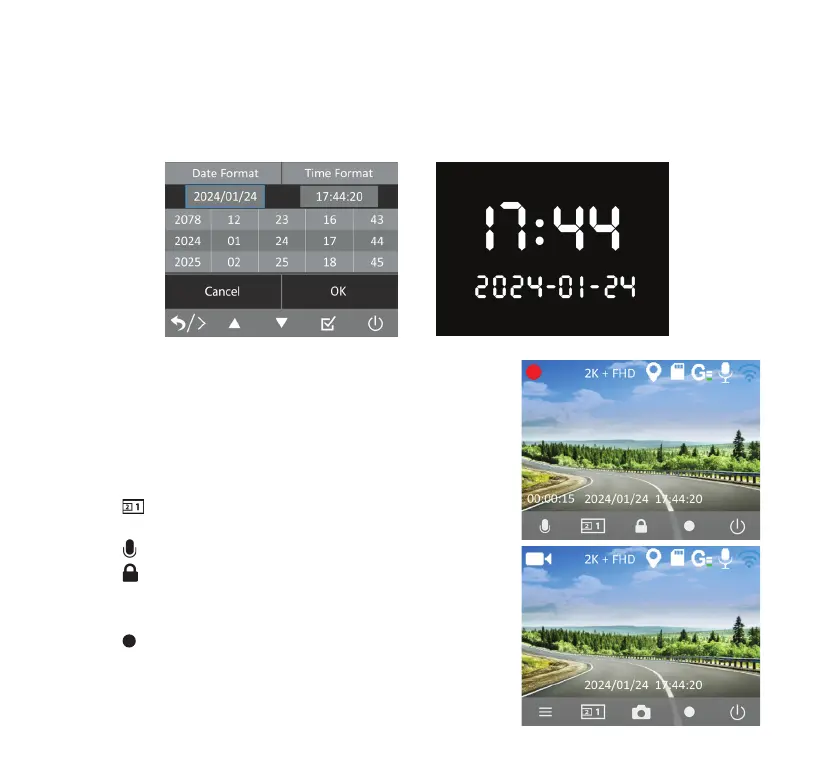
Set the date & time before using the camera. The date stamps that appear on all future recordings will
follow this setting. You may also sync the date & time to your phone by connecting the camera to the
TYPE S Drive App.
Video Mode
• This is the default recording setting. The camera will start
recording automatically once it is powered on.
• By default, videos are recorded in 1-minute segments and
saved onto the MicroSD card. When the memory reaches
capacity, new videos will overwrite the old ones.
• Click
to switch between front, interior and picture-in-
picture view.
• Click
to turn audio recording on/o.
• Click
to start an emergency video recording. The footage
will be stored in the Event folder.
• Recording must be stopped to switch between modes.
Click
to stop recording.



 To Next Page