73
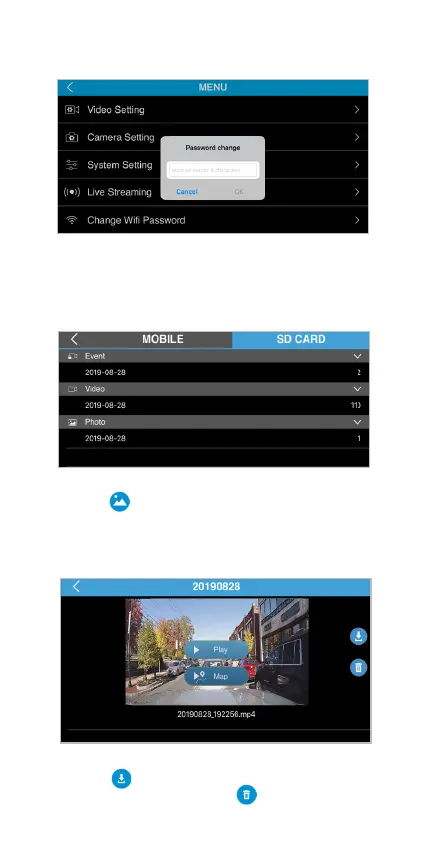
We suggest user to reset the TravCa Dash 360 WiFi
password after the initial connection in order to block
unauthorized access from other smart devices that
use the same APP.
Change WiFi Password
Tap the icon on the main interface to enter the
media gallery. Tap the SD CARD tap to access the
media les stored in the MicroSD card. Scroll down
the list to select the le arranging from newest to
oldest.
Gallery
Tap the icon to download the selected le into
your smartphone, or tap the icon to delete the
le from the MicroSD card.
SD CARD tap



 To Next Page