EasyManua.ls Logo

U-Line H-7035 - User Manual

U-Line H-7035
17 pages
Print Icon
To Next Page IconTo Next Page
Loading...
PAGE 1 OF 17 1023 IH-7033
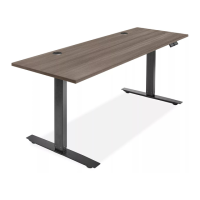
ADJUSTABLE
HEIGHT DESK
1-800-295-5510
uline.com
π
H-7033, H-7034, H-7035
H-7598, H-7599, H-8362
TOOLS NEEDED
Drill 4 mm Hex Wrench
(Included)
5 mm Hex Wrench
(Included)
PARTS
NOTE: Count and inspect all pieces before
disposing of any carton or packing materials.
NOTE: Two-person assembly is recommended.
CAUTION! Adjustable frame is heavy and
care should be used when moving it during
assembly.
1. Place adjustable frame with lifting columns on a
smooth, non-marring surface to prevent scratching.
NOTE: Lifting columns are pre-installed to
adjustable frame and are folded down toward
center of adjustable frame for shipping.
2. Unfold the lifting columns to an upright position.
(See Figure 1)
ASSEMBLY
# DESCRIPTION QTY.
1 Desktop 1
2
Adjustable Frame with
Lifting Columns
1
3 Foot with Leveling Glides 2
4 Top Support Bracket 2
5 Control Box 1
6 Programmable Handset 1
7 Cable Management Tray 2
8 Power Cord 1
9 M6 x 33 mm Machine Screw 4
10
M6 x 15 mm Machine Screw with
Lock Washer and Flat Washer
16
11 M5 x 20 mm Wood Screw 10
12 4 mm Hex Wrench 1
13 5 mm Hex Wrench 1
14 M5 x 45 mm Wood Screw 2
Figure 1
Programmable
Handset x 1
Cable
Management
Tray x 2
Power Cord x 1
M6 x 33 mm
Machine Screw x 4
Top Support
Bracket x 2
Control Box x 1
Desktop x 1 Adjustable Frame
with Lifting Columns x 1
Foot with Leveling
Glides x 2
M6 x 15 mm Machine
Screw with Lock
Washer and Flat
Washer x 16
M5 x 20 mm
Wood Screw x 10
M5 x 45 mm
Wood Screw x 2
Lifting
Column
2
Para Español, vea páginas 6-10.
Pour le français, consulter les pages 11-15.
Question and Answer IconNeed help?

Do you have a question about the U-Line H-7035 and is the answer not in the manual?

Overview

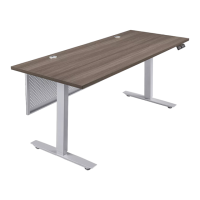
The Uline Adjustable Height Desk, models H-7033, H-7034, H-7035, H-7598, H-7599, and H-8362, is a versatile workstation designed to allow users to easily switch between sitting and standing positions. This desk is equipped with an electric lifting system, programmable height presets, and safety features to enhance user experience and longevity.

Function Description:

The primary function of the Uline Adjustable Height Desk is to provide a flexible workspace that can be adjusted in height to accommodate various user preferences and ergonomic needs. It features an electric motor system that smoothly raises and lowers the desktop. The desk is controlled via a programmable handset, allowing users to save and recall up to four preferred height settings. This feature promotes a dynamic work environment, helping to reduce the health risks associated with prolonged sitting. The desk also includes anti-collision sensitivity to prevent damage from obstructions during height adjustments and a locking feature for security.

Important Technical Specifications:

The desk's adjustable frame is designed to fit desktops ranging from 48 to 72 inches in length and 24 to 30 inches in width. The lifting columns are pre-installed to the adjustable frame and fold down for shipping. Assembly requires a drill, a 4 mm hex wrench, and a 5 mm hex wrench (both included). The desk operates on an electrical power cord, which connects to a control box that manages the lifting columns and programmable handset. The control box also features a USB charger. The lifting system utilizes M6 x 33 mm machine screws, M6 x 15 mm machine screws with lock and flat washers, M5 x 20 mm wood screws, and M5 x 45 mm wood screws for secure assembly. The anti-collision system has sensitivity levels ranging from 1 to 8, with 5 as the default, allowing users to customize the desk's responsiveness to obstructions.

Usage Features:

  • Height Adjustment: The desk can be raised or lowered using the up and down buttons on the programmable handset.
  • Initialization/Reset Process: Before first use, or if the desk needs to be reset, users must press and hold the down button until the desk reaches its lowest height, slightly rises, and stops. Releasing the button completes the initialization. If this fails, a more advanced reset involves unplugging the power cord for 20 seconds, plugging it back in, and then pressing and holding the setting button until "SET" is displayed, followed by pressing the fourth preset position button "IV" until "rSt" is displayed, and finally holding the down button until the lowest height is reached.
  • Programmable Height Presets: Up to four height settings can be saved. To program a preset, adjust the desk to the desired height, then press and hold the setting button and one of the four preset position buttons simultaneously. The handset will display "1CF," "2CF," "3CF," or "4CF" to confirm.
  • Height Limit Programming: The desk allows users to set minimum and maximum height limits. To set a maximum limit, adjust the desk to the desired maximum height, then press and hold the setting button and the up button simultaneously until "Hi" is displayed. To cancel, repeat the process until "HCL" is displayed. The same process applies to setting a minimum limit, using the down button, with "Lo" indicating a set limit and "LCL" indicating cancellation.
  • Anti-Collision Sensitivity: The anti-collision feature prevents the desk from colliding with objects. To adjust sensitivity, press and hold the setting button for seven seconds until "SET" is displayed, then press the third preset position button to enter the sensitivity setting mode. Use the up or down buttons to select a sensitivity level (1-8) and press the setting button to confirm.
  • Locking Operation: The desk can be locked to prevent unauthorized operation. To lock, press and hold the first and second preset position buttons simultaneously for seven seconds until "LoC" is displayed. Repeat the process to unlock.
  • Unit of Measurement: The display can switch between inches and centimeters. Press the setting button for seven seconds until "SET" is displayed, then press the first preset position button. Use the up or down buttons to toggle between units.
  • Cable Management: The desk includes cable management trays to organize and secure loose cords, contributing to a tidy and safe workspace.

Maintenance Features:

  • Troubleshooting Guide: The manual provides a comprehensive troubleshooting section for common issues such as the desk not moving, uneven column movement, reset failures (displaying "rSt," "EP1," "EP2," or "EP3"), unusual noise, and overheating (displaying "OH").
  • Noise Reduction: If the desk becomes unusually noisy, particularly due to the two-stage legs extending into each other, applying silicon lubricant to the legs is recommended to reduce friction and noise.
  • Overheat Protection: The desk is equipped with an overheat protection mechanism. If the desk is adjusted continuously for more than two minutes within a 20-minute period, it may overheat, displaying "OH" on the handset. In such cases, users should stop adjusting the desk height for 20 minutes to allow it to cool down.
  • Warranty Support: For persistent problems not resolved by troubleshooting, Uline Customer Service can be contacted for assistance, including potential replacement of the control box if the desk is within its 60-day warranty period.
  • Regular Checks: Users are advised to ensure all connections are secure and the power cord is properly plugged into an outlet. It's also important to ensure there are no obstacles in the desk's height adjustment path and that all cords have appropriate length for height changes.

U-Line H-7035 Specifications

General IconGeneral
BrandU-Line
ModelH-7035
CategoryIndoor Furnishing
LanguageEnglish

Related product manuals