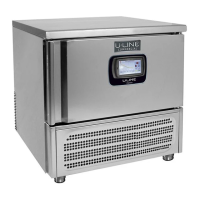
Blast Chiller Touch Screen Manual
3
Rev08/04/2015
TABLE OF CONTENTS
1.
Powering up the Touch Screen Control .................................................. 5
2.
The Blast Chilling Mode ......................................................................... 7
2.1.
Blast Chilling Manual Program............................................................................................... 10
2.2.
Blast Chilling Automatic OEM Recipes ................................................................................. 11
2.3.
Blast Chilling Custom Recipes ............................................................................................... 15
2.4.
Cycle Graph and other functions ............................................................................................. 19
2.5.
Cycle End ................................................................................................................................ 23
2.6.
Automatic Holding Cycle........................................................................................................ 23
3.
The Blast Freezing Mode ..................................................................... 25
4.
The “Other” Screen (More) ................................................................. 26
4.1.
Hold ......................................................................................................................................... 26
4.2.
Thawing ................................................................................................................................... 28
4.3.
Sterilization ............................................................................................................................. 30
4.4.
Manual Defrost ........................................................................................................................ 31
4.5.
Heated Probe ........................................................................................................................... 32
4.6.
Options .................................................................................................................................... 33
4.6.1.
Alarm List ............................................................................................................................ 34
4.6.2.
Defrost List .......................................................................................................................... 35
4.6.3.
HACCP ................................................................................................................................ 36
4.6.4.
Input/Outputs ....................................................................................................................... 37
4.6.5.
Password .............................................................................................................................. 38
4.6.6.
HELP ................................................................................................................................... 39
4.6.7.
Language ............................................................................................................................. 40
4.6.8.
How to set the time and date ............................................................................................... 41
4.6.9.
USB functions...................................................................................................................... 42
4.6.10.
How to adjust the display ................................................................................................. 54
5.
Alarm List .......................................................................................... 56
6.
Service .............................................................................................. 60
6.1.
Access to Service Menu .......................................................................................................... 60
6.2.
Parameters ............................................................................................................................... 61
6.2.1.
Parameters List .................................................................................................................... 63
6.3.
Parameters Restore .................................................................................................................. 69
6.4.
Door Openings ........................................................................................................................ 70
6.5.
Scanner .................................................................................................................................... 71
Serial Number ......................................................................................................................... 74
4
Rev08/04/2015
6.7.
Optional (also written “Option” in some software release) .................................................... 75
6.8. Manteinance ............................................................................................................................ 76
6.9. Cal (Display Calibration) ........................................................................................................ 77
6.10. Test Cal (Display Calibration Test) ..................................................................................... 79
7. Download HACCP data and trace Cycle Diagrams ................................. 80
7.1. Using a Proprietary Software to trace HACCP data ............................................................... 82
7.2. Access the source HACCP files for own purpose ................................................................... 87


 To Next Page
 Loading...