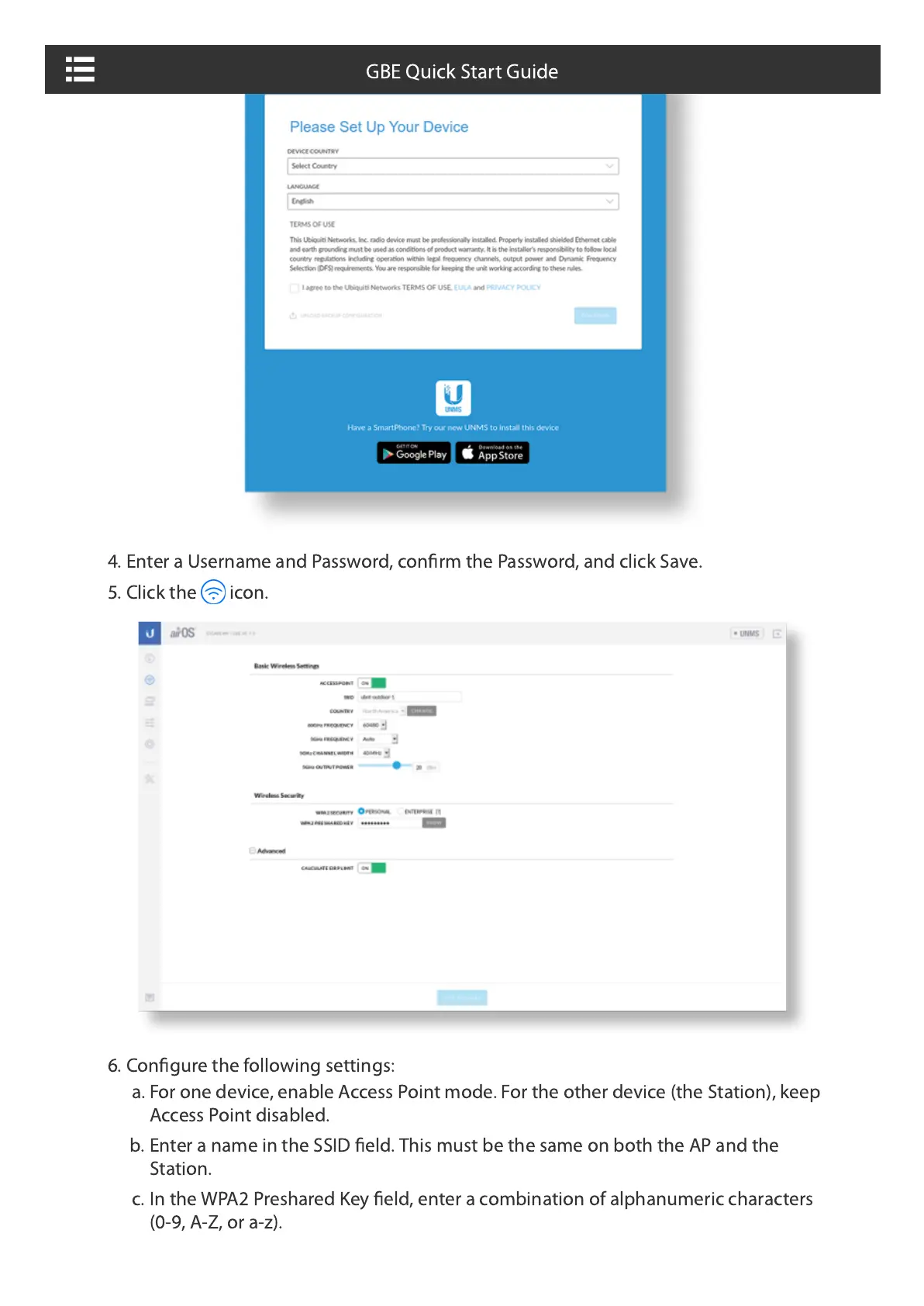
4. Enter a Username and Password, confirm the Password, and click Save.
5. Click the icon.
6. Configure the following settings:
a. For one device, enable Access Point mode. For the other device (the Station), keep
Access Point disabled.
b. Enter a name in the SSID field. This must be the same on both the AP and the
Station.
c. In the WPA2 Preshared Key field, enter a combination of alphanumeric characters
(0-9, A-Z, or a-z).
GBE Quick Start Guide







 To Next Page