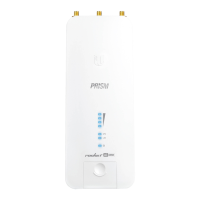
PoE IN Port
60 GHz LED
5 GHz LED
LAN LED
Power/Status LED
To reset to factory defaults, press and hold the Reset button for more than 10
seconds while the device is powered on. Alternatively, the device may be reset
remotely via a Reset button located on the bottom of the Gigabit PoE Adapter.
This Gigabit Ethernet port is used to connect the power and should be connected to
the LAN and DHCP server.
Lights steady blue when 60 GHz link is ready.
Lights steady blue when the 5 GHz link is ready.
The LED will light steady blue when an active Ethernet connection is made to the
Ethernet port and flash when there is activity.
Flashing White Bootup in progress.
White
Ready for use, not connected to Ubiquiti® Network
Management System (UNMS™). See
“UNMS
Management”
.
Blue Ready for use, connected to UNMS.
Steady Blue with
Occasional Flashing
Ready for use, unable to connect to UNMS, check
connection to UNMS server.
Quickly Flashing Blue Used to locate a device in UNMS.
Alternating
Blue/White
Firmware upgrade in progress.
Hardware Installation
Go to the appropriate mounting instructions: Pole Mounting or
“Wall Mounting”
.
Pole-Mounting
1.
GBE Quick Start Guide








 To Next Page