
 Need help?
Do you have a question about the Ubiquiti UF-Instant and is the answer not in the manual?
The SC/APC GPON port supports WAN connections of 2.488 Gbps downstream and 1.244 Gbps upstream.
The SGMII Ethernet LAN interface supports a 1 Gbps connection.
Warnings regarding eye safety, cleanliness, and avoiding direct connection to specific GPON modules.
Precautions against fire, electric shock, water exposure, and electrical storms during device operation.
Warning about looking into fiber optic cables or SFP modules while converters are powered.
Details on FCC rules, operation conditions, and measures to correct interference for Class B digital devices.
Statement regarding ISED Canada compliance for the device.
Indicates the product's compliance with all applicable directives.
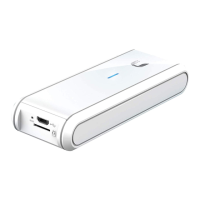
The UFiber Instant is a compact and efficient optical network unit (ONU) designed for seamless integration into a GPON (Gigabit Passive Optical Network) deployment. This device acts as a bridge, connecting the fiber optic network from a UFiber OLT (Optical Line Terminal) to a Ubiquiti product equipped with an SFP (Small Form-Factor Pluggable) port, enabling high-speed internet access. Its primary function is to convert the optical signal from the GPON network into an electrical signal that can be used by an SFP-enabled device, and vice-versa.
At its core, the UFiber Instant serves as a GPON WAN (Wide Area Network) interface, facilitating broadband connectivity. It features a single SC/APC GPON port, which is the entry point for the fiber optic cable from the OLT. This port is engineered to handle high-speed data transmission, supporting downstream speeds of up to 2.488 Gbps and upstream speeds of up to 1.244 Gbps, adhering to the ITU G.984 standard for GPON. This ensures robust and fast internet access for connected devices.
Complementing the GPON WAN port is an SGMII (Serial Gigabit Media Independent Interface) Ethernet LAN interface. This interface supports a 1 Gbps connection, allowing the UFiber Instant to connect to a Ubiquiti product with an SFP port, such as an EdgeRouter or other compatible networking equipment. The device operates exclusively in bridge mode, meaning it transparently passes traffic between the GPON WAN and the SGMII LAN interfaces without performing routing functions. This design simplifies network architecture and allows the connected Ubiquiti device to handle routing and other network management tasks.
The UFiber Instant is managed through the UFiber OLT, which centralizes control and configuration for all connected ONUs. This approach streamlines deployment and ongoing management, as individual configuration of the UFiber Instant itself is not required. The device is designed to be a plug-and-play component within the broader UFiber ecosystem, making it easy to integrate into existing or new GPON networks.
The UFiber Instant is designed for straightforward deployment and operation within a GPON network. Its small form factor and SFP-like design allow it to be easily inserted into any Ubiquiti product with an SFP port, making it a versatile solution for various installation scenarios.
Connecting the fiber optic cable is a critical step. Users must first remove the protective cap from the UFiber Instant's PON port. Similarly, the protective cap from the fiber patch cable must be removed. The fiber patch cable is then inserted into the PON port until it clicks securely into place. It is crucial to use an SC/APC fiber patch cable for this connection to ensure proper optical performance and compatibility with the GPON network.
Once the fiber connection is established, the UFiber Instant is inserted into the SFP port of a compatible Ubiquiti device. The device draws power directly from the SFP port of the host device, eliminating the need for an external power adapter and simplifying cable management. This power-over-SFP capability enhances the device's flexibility and reduces clutter in installations.
The UFiber Instant is intended for use with a UFiber OLT, which acts as the central control point for the GPON network. The OLT is responsible for provisioning and managing the UFiber Instant, including assigning IP addresses and configuring network parameters. This centralized management approach simplifies the setup process, as the UFiber Instant itself does not require direct configuration.
For optimal performance and to avoid potential issues, it is important to ensure that the UFiber Instant is connected to a UFiber OLT and not directly to another UFiber GPON module (such as UF-GP-B+ or UF-GP-C+). Direct connection between two GPON modules can damage the device optics due to incompatible signal levels and protocols.
The UFiber Instant is designed for minimal maintenance, focusing on reliability and ease of use. However, certain precautions and best practices are essential to ensure its longevity and optimal performance.
One of the most critical maintenance aspects involves handling the fiber optic connections. Users are strongly warned never to look directly into the ends of fiber optic cables or modules when they are powered. The emitted laser light, though invisible, can cause severe and permanent damage to the eyes. This safety warning is paramount and must be strictly adhered to during installation and any subsequent handling.
To maintain the integrity of the optical connections, it is crucial to keep the PON port and fiber patch cables clean. Dust, dirt, or other contaminants on the optical connectors can significantly degrade signal quality and lead to network performance issues. Therefore, until ready for use, both the UFiber Instant's PON port and the fiber patch cables should remain covered with their included protective caps. These caps prevent dust and debris from accumulating on the delicate optical surfaces. If a connector becomes dirty, it should be cleaned using appropriate fiber optic cleaning tools and methods, following industry best practices.
The UFiber Instant is built to operate within a specified temperature range, from -10 to 45° C (14 to 113° F), and a non-condensing humidity range of 10 to 90%. Ensuring the device operates within these environmental limits is important for its long-term reliability. Exposure to extreme temperatures or humidity outside these ranges can affect performance and potentially shorten the device's lifespan.
As the device is managed by the UFiber OLT, software updates and firmware maintenance are typically handled at the OLT level. This means that the UFiber Instant itself generally does not require individual firmware updates, further simplifying its maintenance. Any necessary updates or configurations are pushed from the OLT, ensuring that the entire GPON network remains synchronized and up-to-date.
In case of any operational issues, troubleshooting typically begins at the OLT, which provides diagnostic tools and status information for connected ONUs. The UFiber Instant is designed with no user-serviceable parts inside. Any repairs or internal servicing should only be performed by a qualified service technician to avoid damaging the device or voiding the warranty. This emphasizes the importance of proper handling and installation to prevent the need for repairs.
Regular checks of the physical fiber connection, ensuring it remains securely seated and free from kinks or damage, contribute to consistent network performance. Adhering to these simple maintenance guidelines helps ensure the UFiber Instant provides reliable and high-speed GPON connectivity for an extended period.
 General
| Model | UF-Instant |
|---|---|
| Manufacturer | Ubiquiti Networks |
| Ethernet Ports | 1 |
| Power Supply | PoE |
| Power Method | PoE |
| Mounting | Wall |
| Operating Humidity | 5 to 95% non-condensing |





 To Next Page