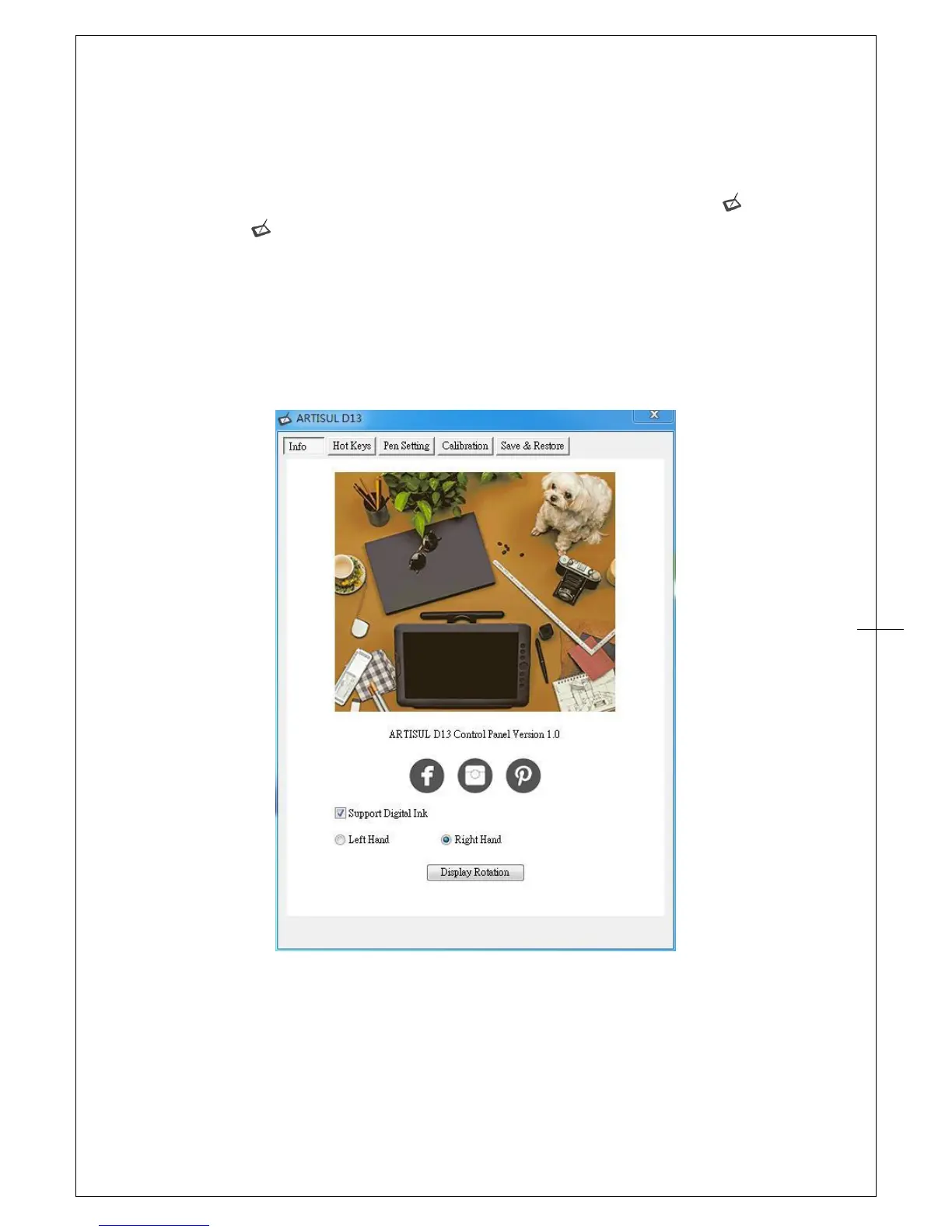
II. ARTISUL configuration
You may configure the ARTISUL by modifying the functions of the pen tip and the two barrel
buttons, tap [Start] > [Settings] > [Control Panel], and double-tap the ARTISUL icon ( ), or tap on
the ARTISUL icon ( ) in the system tray, usually located at lower right hand corner of the screen.
Info
The Info tab displays the version number of the driver and Digital Ink function.
1. Support Digital Ink
Select to support the pressure of digital ink settings.
2. Left Hand / Right Hand
Select to left-handed or right-handed users at any time.


 To Next Page