
 Need help?
Do you have a question about the UC Logic Artisul D13 and is the answer not in the manual?
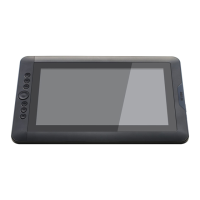
Introduction to the ARTISUL device, its pen, and core features like pressure sensitivity.
Specifies the necessary Windows OS, ports, and internet connection for setup.
Guide to checking all included components in the package against a visual list.
Details on HDMI, USB, and Y-type cables for device connectivity.
Information on the power adapter and plug for device operation.
Step-by-step instructions for physically connecting the ARTISUL to a computer.
Guide on downloading, installing, and rebooting after driver setup.
Advice on pen use, scrolling, and mapping across multiple monitors.
Instructions for changing the pen tip using the provided tool.
Displays driver version and digital ink function status.
Configuring shortcuts for frequently used functions and keystrokes.
Modifying double-click time and pressure sensitivity.
Calibrating pen accuracy and optimizing monitor display settings.
Backing up and loading custom configurations for hot keys.
Obtaining software, resolving general device malfunctions.
Solutions for full-screen issues with NVIDIA and AMD graphics cards.
Addressing issues encountered in specific creative software like Adobe Flash.
Resolving pen not working or flickering screen issues.
Guide to modifying the 'misc.ini' file for SAI compatibility.
Setting up Corel Painter for optimal ARTISUL functionality.
Adjusting settings for Clip Studio Paint's tablet.
Recommendations for cleaning the ARTISUL and handling its cables safely.
Detailed list of common problems and step-by-step solutions.
Procedure for removing the ARTISUL driver from the system.
Reference tables for keyboard shortcuts in various creative applications.
 General
| Screen Size | 13.3 inches |
|---|---|
| Resolution | 1920 x 1080 |
| Pressure Levels | 8192 |
| Connectivity | USB |
| Compatibility | Windows, macOS |
| Resolution (LPI) | 5080 LPI |
| Brightness | 250 cd/m² |
| Contrast Ratio | 700:1 |
| Pressure Sensitivity | 8192 Levels |
| Pen Technology | Electromagnetic resonance |
| Pen Type | Battery-free |
| Viewing Angle | 178 degrees |

 To Next Page