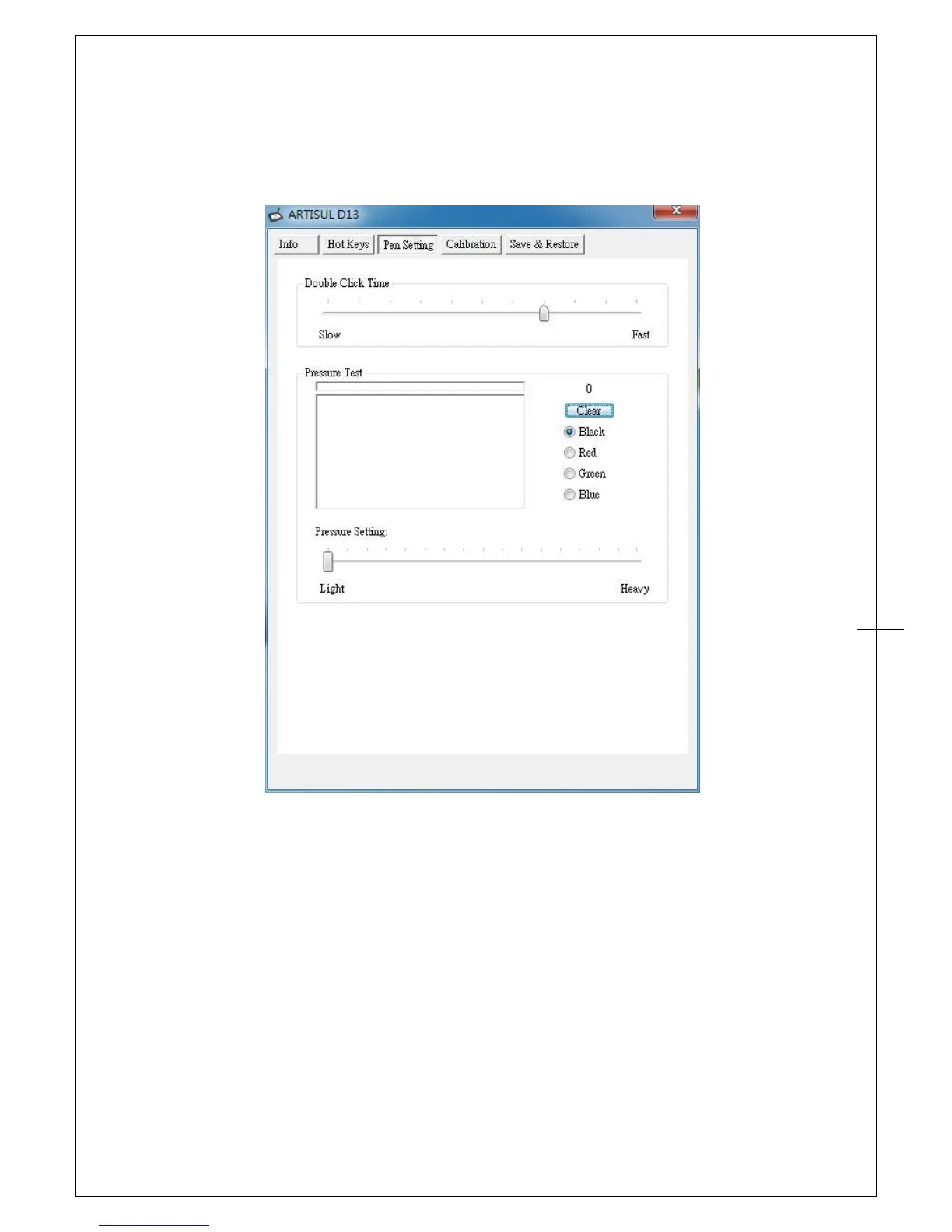
Pen Setting
You can adjust “Double Click Time” and “Pressure Setting” in this tab.
Double Click Time:
Move the Speed Slider toward “Slow” if you want more time in double tapping with Pen Tip or
less time if you move the Speed Slider toward “Fast”. This setting is the same as Double-click
Speed on the page displayed by selecting Start ► Control Panel ► Mouse ► Buttons.
Changing the speed in one section is the same as changing the speed in the other tab.
Pressure Test:
There are four different colors for selecting the pressure sensitivity of the ARTISUL, and they
can be adjusted in this tab. There is a test area to see the thickness of a line by pressing down
on the pen tip to the pad. The numerical value of the pressure level is shown in the field above
the “Clear” button.


 To Next Page