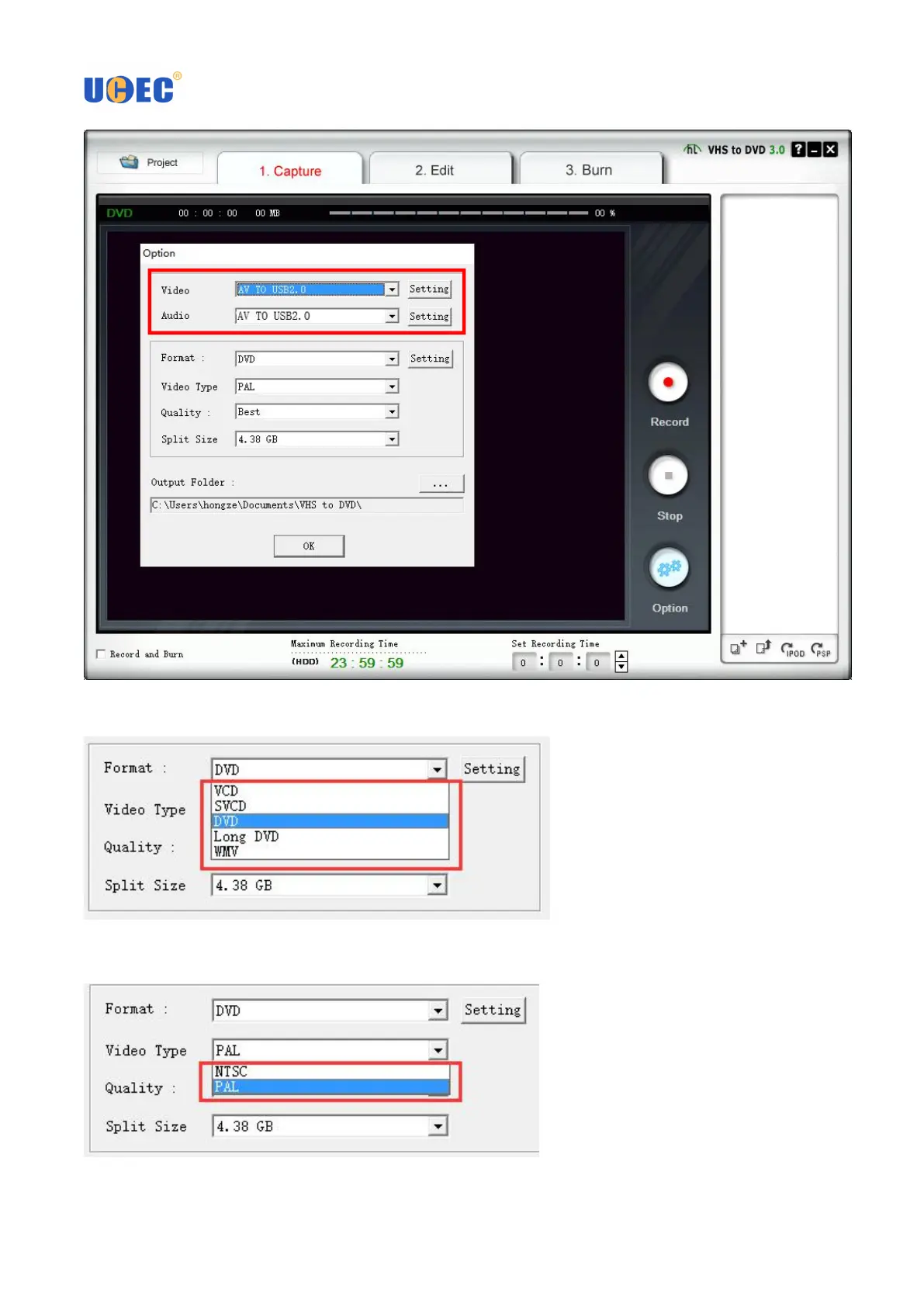
3.4 Click the drop-down box next to Format, and select what video format you want. And click Setting menu that
is next to the drop-down box to choose capture resolution. Click OK when is done.
3.5 Click the drop-down box next to Video Type, and choose video standard - PAL or NTSC. In the US, Mexico
and Japan, Select NTSC. For Europe, Please select PAL.



 To Next Page