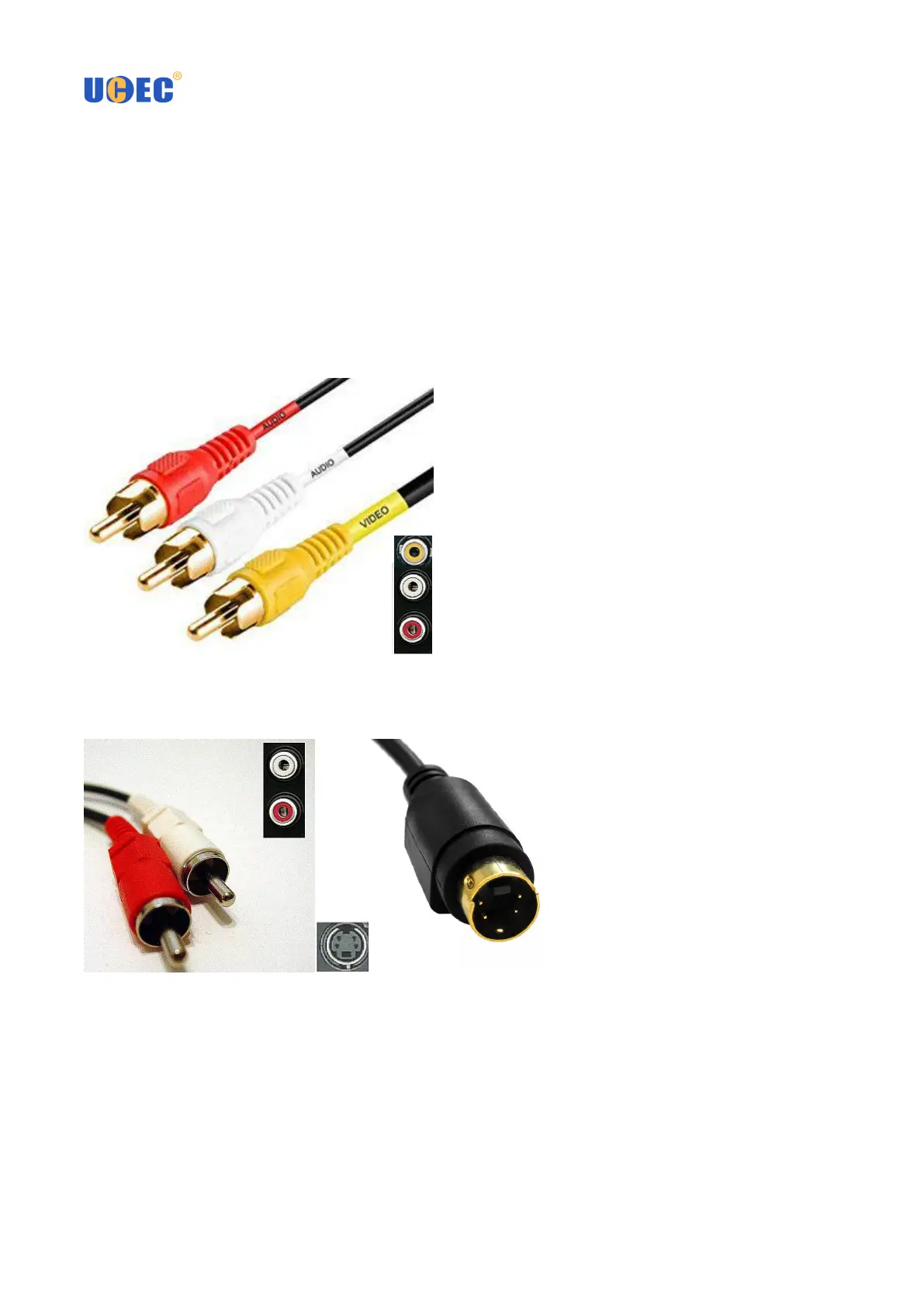
3. COMPOSITE VIDEO INPUT (yellow) – Use a standard composite video cable to connect this input to the
composite video output of your playback device.
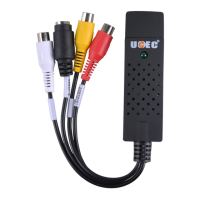
4. S-VIDEO INPUT (black) – Use a standard S-Video cable to connect this input to the S-Video output of your
playback device.
♦ Connection Types
There are two kinds of video connection types: RCA(Composite) or S-Video. You only can choose one of
them.
● RCA(Composite) Connection:
● S-Video Connection:
If your camcorder has a standard S-Video output connection, use the appropriate S-video and
composite audio connection(White & Red Port). An extra S-video cable is necessary for it.
S-Video cables can transmit a higher quality video signal than regular RCA (Composite) cables,
but they do not carry an audio signal. RCA (Composite) audio cables are still required when
You are making an S-Video connection.
NOTES:
● To capture a video’s sound, connect the left and right AUDIO INPUTS to the left and right audio outputs of your
playback device.
● To capture video with scart output, you should buy one scart-composite converter.
● Please don’t connect composite video and S-Video at the same time.



 To Next Page