4. Some Personalized Settings
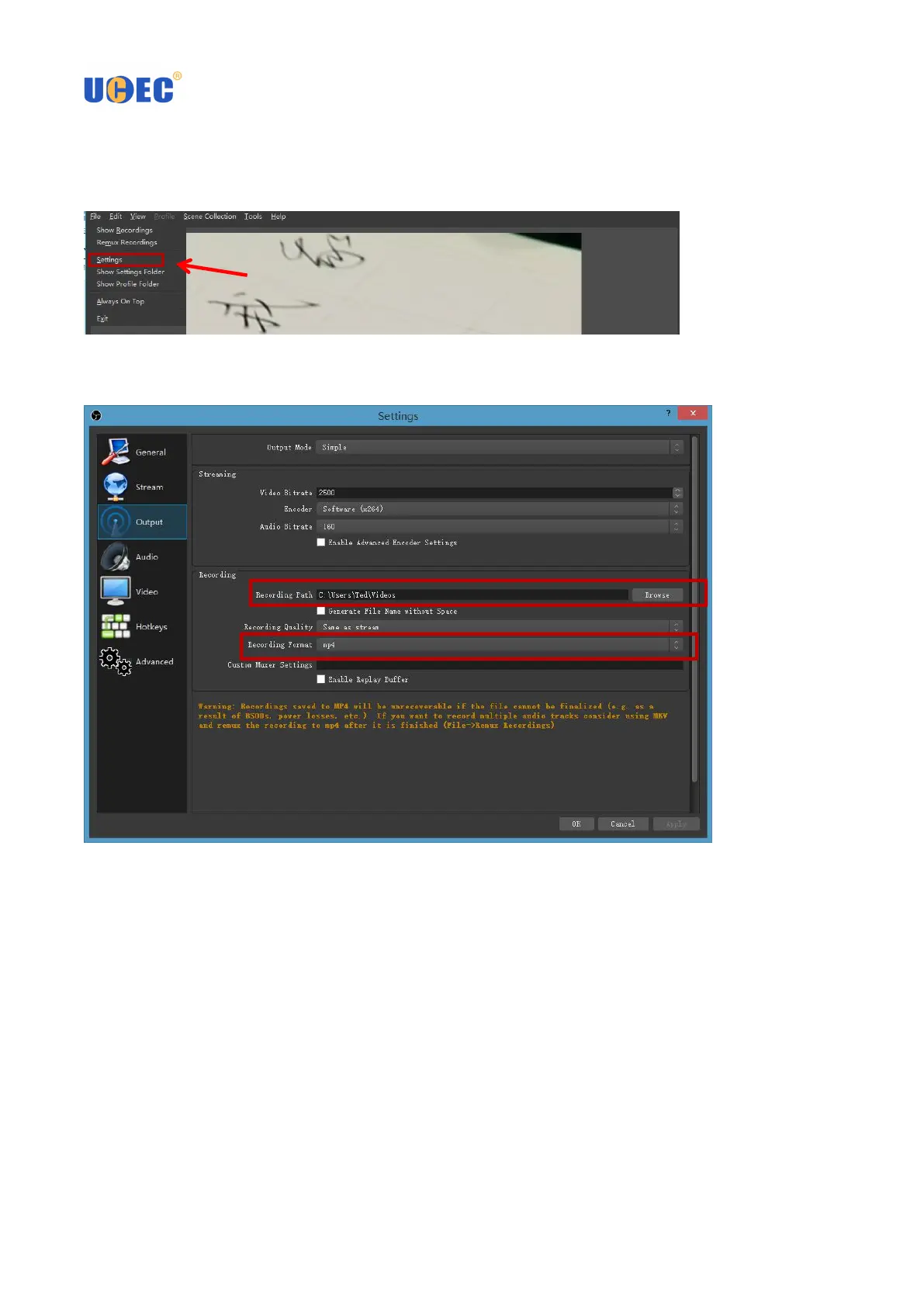
4.1 You can set a variety of video formats: click on the upper left corner of the "File", appear drop-down menu,
select "Settings"
4.2 In the "Settings" interface, select "Output", you can select the recording video save path, set the output
format of the recorded video. Select OK to finish.



 To Next Page