EasyManua.ls Logo

UCEC USB 2.0 UVC - User Manual

Default Icon
22 pages
Print Icon
To Next Page IconTo Next Page
Loading...
1
UCEC USB 2.0 UVC
Video Capture All in One
Quick Start Guide
Thanks for your support, UCEC USB2.0 UVC Video Capture product. The following steps will guides you how to
set it up. Hope this device will bring you nice digital experience.
IMPORTANT: The included software is for windows. If you use Macbook, you can directly use the QuickTime
Player to capture your video, But if you use Windows Computer, here provide you with 2 types of video capture
and edit software ( VHS to DVD 3.0 SE and OBS Studio) , you can install any one of them depending on your
needs.
BOX CONTENTS
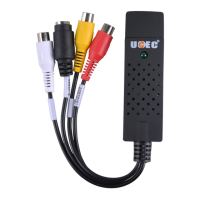
UCEC USB2.0 UVC Video Capture
Software CD and Quick Start Guide
Composite (RCA) Cable
NOTE:
UCEC provides 24-hour technical support. Please feel free to contact us if you have any questions. If you are not
satisfied with our products, UCEC offers 30-day money-back guarantee.
CONTACT US:
Send the message to us by your order detail page. (Reply within 24 hours)
Or send your Email to this address : yelpdeal@qq.com (Reply as soon as possible)
Our goal is to bring you the best shopping experience on Amazon. We’d really appreciate it if
you can share your experience with our product on Amazon.
Question and Answer IconNeed help?

Do you have a question about the UCEC USB 2.0 UVC and is the answer not in the manual?

Summary

UCEC Video Capture Device Connections

Overview of Video Capture Device

Provides a general overview of the UCEC All-in-One Video Capture product.

Understanding Device Ports

Explains the purpose and usage of each port on the video capture device.

Video Connection Types

Details the two main types of video connection methods: RCA and S-Video.

MacBook Video Capture Guide

Connecting Device to MacBook

Steps for connecting the video capture card and source to a MacBook.

Capturing Video with QuickTime Player

Instructions on using QuickTime Player for video capture on a MacBook.

Configuring QuickTime Recording Settings

Guides on selecting recording options and input sources in QuickTime Player.

Starting and Stopping Video Recording

Details on how to initiate and conclude video recording via QuickTime Player.

Windows Video Capture Guide

Using VHS to DVD 3.0 Software

Comprehensive guide to installing and using Honestech VHS to DVD 3.0.

Using OBS Studio Software

Instructions for installing and utilizing OBS Studio for video capture.

Personalized Settings and Advanced Options

Configuring Recording Path and Format

Setting the save location and output format for recorded videos in OBS.

YouTube Upload and Video Editing

Guidance on uploading videos to YouTube and editing them with the software.

Troubleshooting Common Issues

Installation and Driver Problems

Solutions for errors encountered during software and driver installation.

Video Display and Quality Issues

Troubleshooting steps for problems like no video or black & white output.

Audio and Video Performance Issues

Resolving problems related to choppy video or audio playback.

Device Recognition and Uninstallation

Fixes for device not recognized errors and driver uninstallation process.

PAL;NTSC Standard Conversion

Information on converting between PAL and NTSC video standards.

UCEC USB 2.0 UVC Specifications

General IconGeneral
BrandUCEC
ModelUSB 2.0 UVC
CategoryMedia Converter
LanguageEnglish

Related product manuals