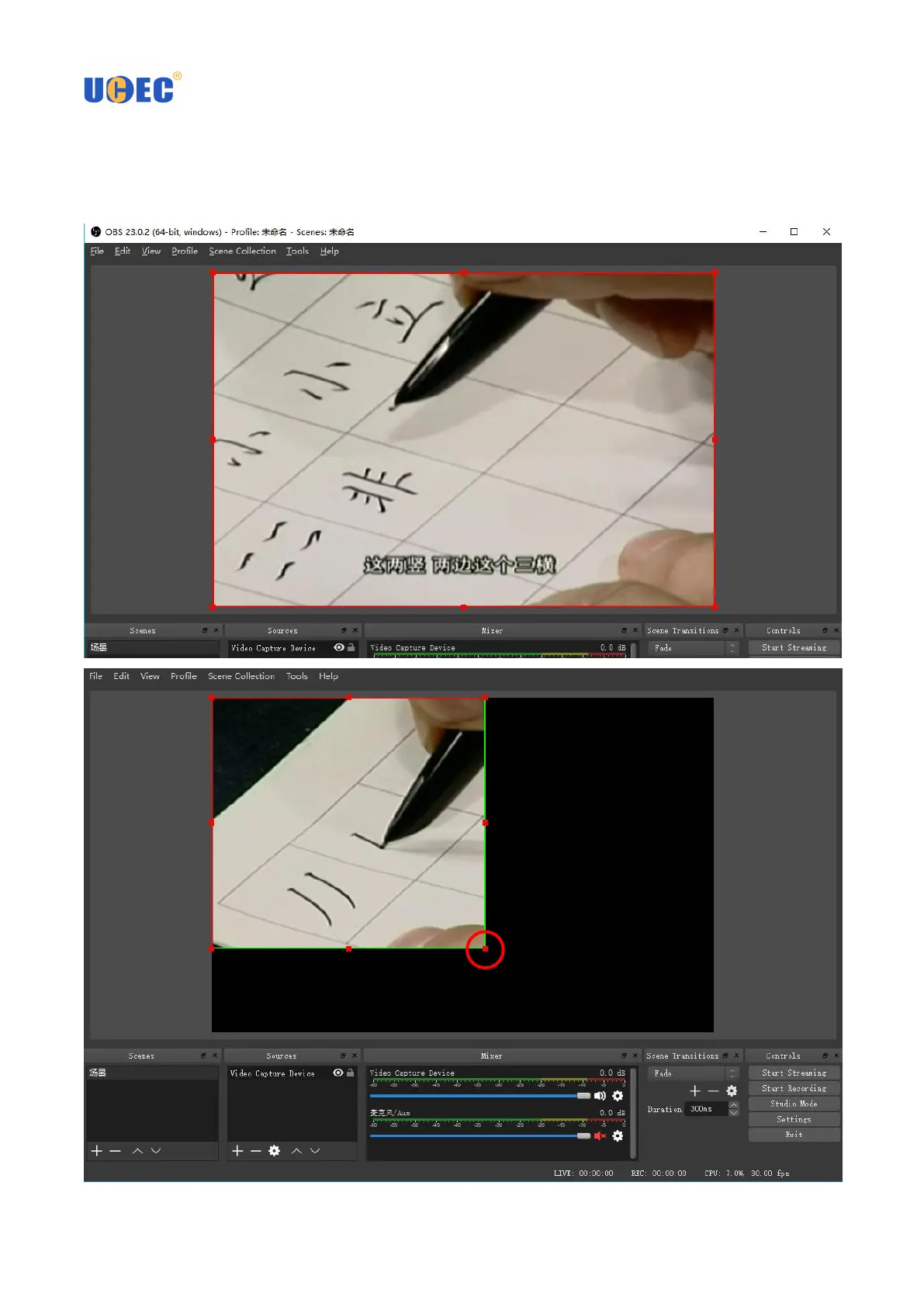
3.10 When you start playing VHS videos, you can adjust the image size and position to fit and be centered in the
black "canvas." If you want to crop some of the original image, Hold down the "ALT" key while grabbing and
moving one the 'bubbles' on the frame. Otherwise, grabbing them retains original aspect ratio and won't crop.
Hold down the "ALT" key while
grabbing and moving one the
'bubbles' on the frame



 To Next Page