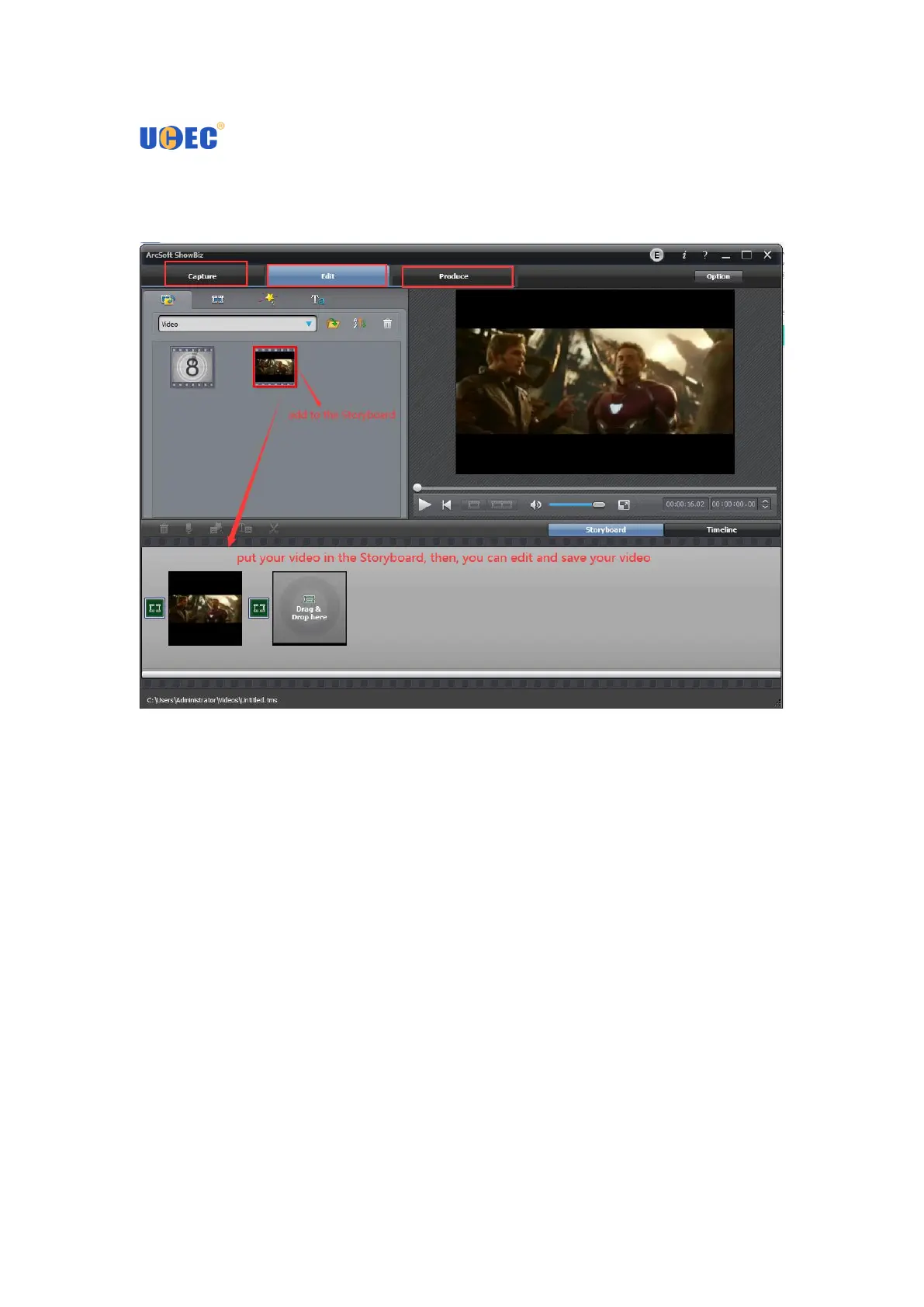
Edit video
Save, convert or upload videos
You can click “Produce” button to enter into the fowlling panel, then you can select
function to handle your recorded video , audio file, or pictures according to your
needs. As creating video file:
The first, please select the file you want to create, and click “Create File” button to
enter into the Create File panel.
On the panel, if you set Type to be PMP, you can create file with Apple TV, iPhone,
iPod classic, iPod nano, or iPod touch format.(Next Page)
If you set Type to be Disc, you can create file with DVD, SVCD, or VCD format.(Next
Page)
If you set Type to be File, you can create file with WMA, ASF, MPEG1, MPEG2, or
WMV format.(Next Page)


 To Next Page