Some Personalized Settings
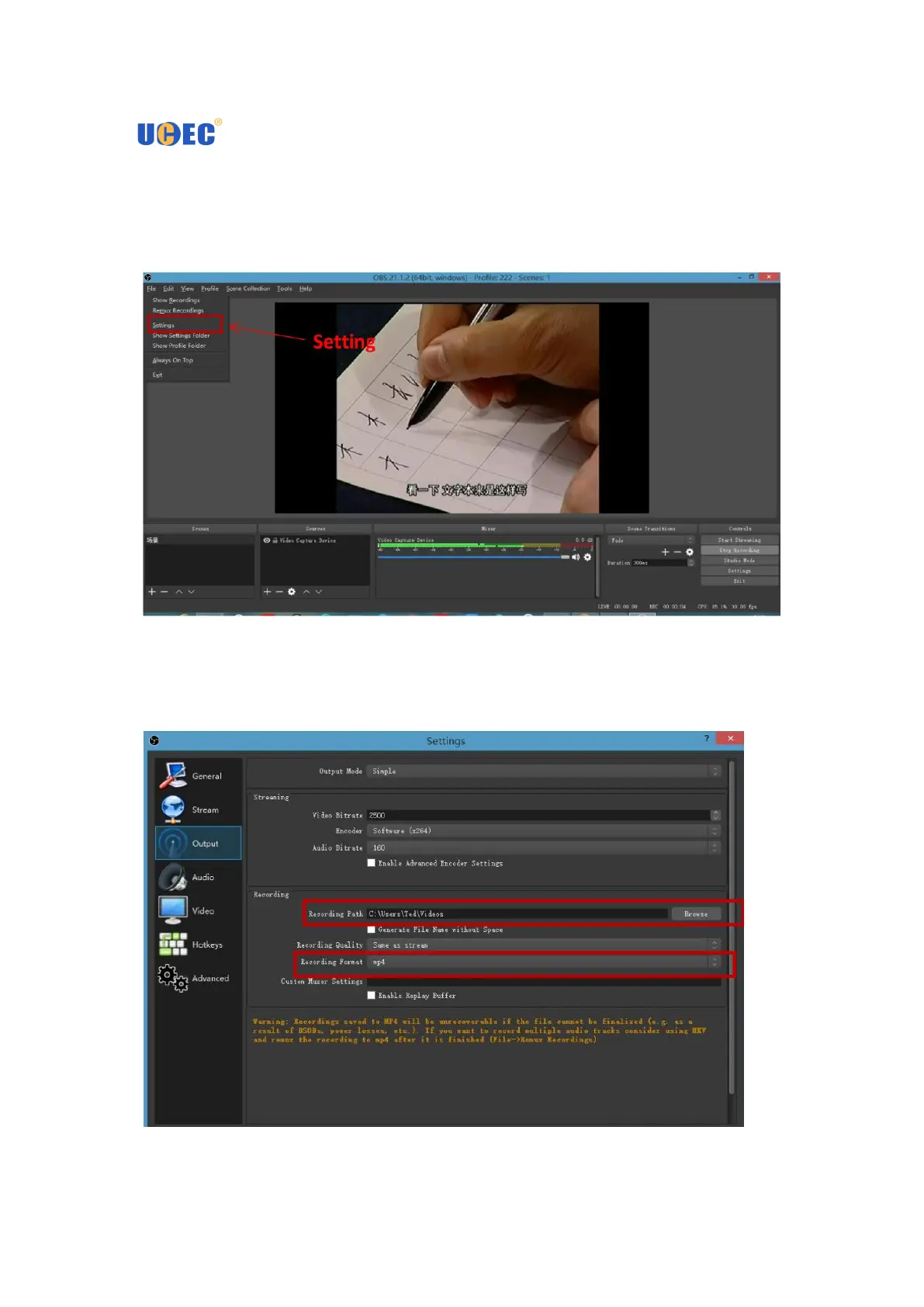
1. You can set a variety of video formats: click on the upper left corner of the "File",
appear drop-down menu, select "Settings"
2. In the "Settings" interface, select "Output", you can select the recording video
save path, set the output format of the recorded video.


 To Next Page