How to use the ShowBiz 3.5
1. Now, you need to set software for capturing and editing video and audio.
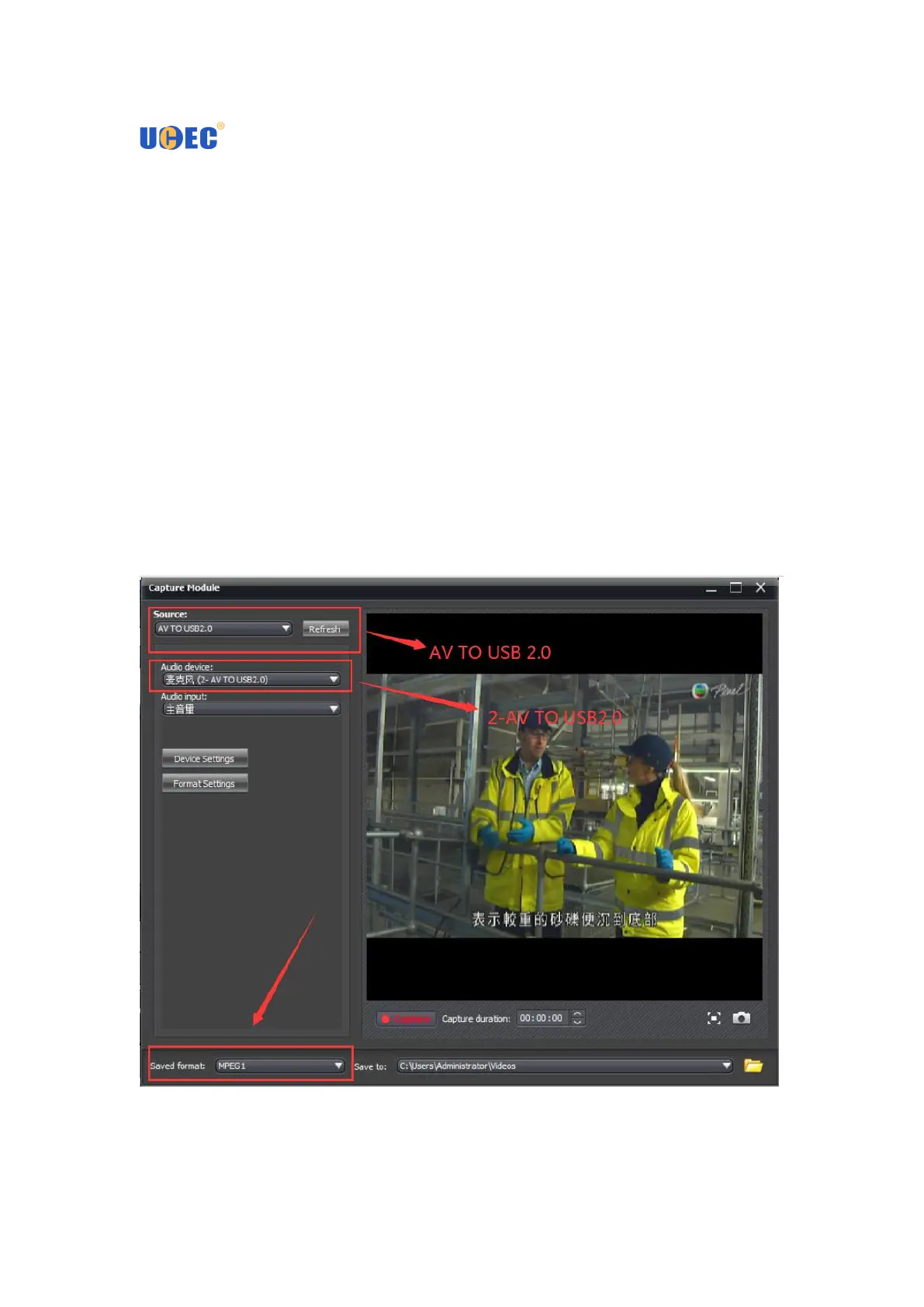
2. Double click “ShowBiz 3.5” icon on your desktop, and click Capture button to
enter into the capture panel.
3. On the capture panel, please set “Source” to be “ AV TO USB2.0”, and you must
click “Audio Device” to select “2-AV TO USB2.0” option.
4. Please set “Video input” to be “Composite” or “S-Video” according to the
connection of the device.
Record video
On the capture panel, please click “Record” button to record your video. When you
want to stop the recording, please click “Record’ button again.
You can save your video files with MPEG2 format, and you can change the saved
folder for your recorded videos


 To Next Page