MESH INTERCOM PAIRING
PAIRING MOTION UNITS WITH UCLEAR AMP SERIES UNITS
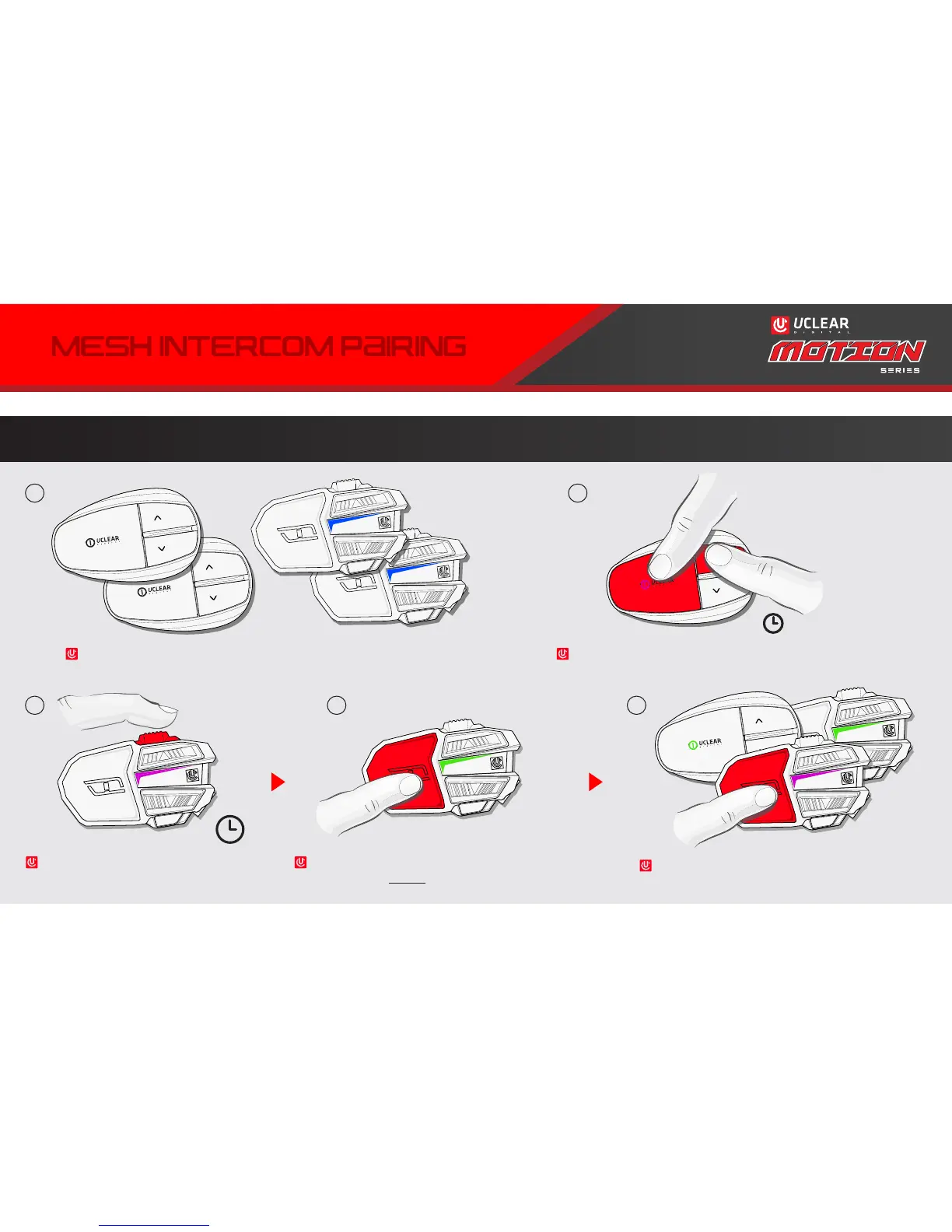
Begin with all AMP units in power OFF state, all MOTION units in power ON state.
Next enter paring mode on MOTION unit(s).
Press and hold QUICK ACCESS for 5 secs on
MOTION unit(s) until LED blinks purple.
When all units to be paired are blinking purple, press
POWER on any MOTION unit to initiate paring sequence.
Units will double-blink green as they are connected.
All but 1 unit will be blinking green. Press POWER on
the last unit still blinking purple to end the pairing
sequence. All units should be blinking green.
Start by powering on all AMP units directly into pairing mode
by holding POWER & UP until device(s) blink(s) purple.
21
3 4 5
5
x1x1
12



 To Next Page