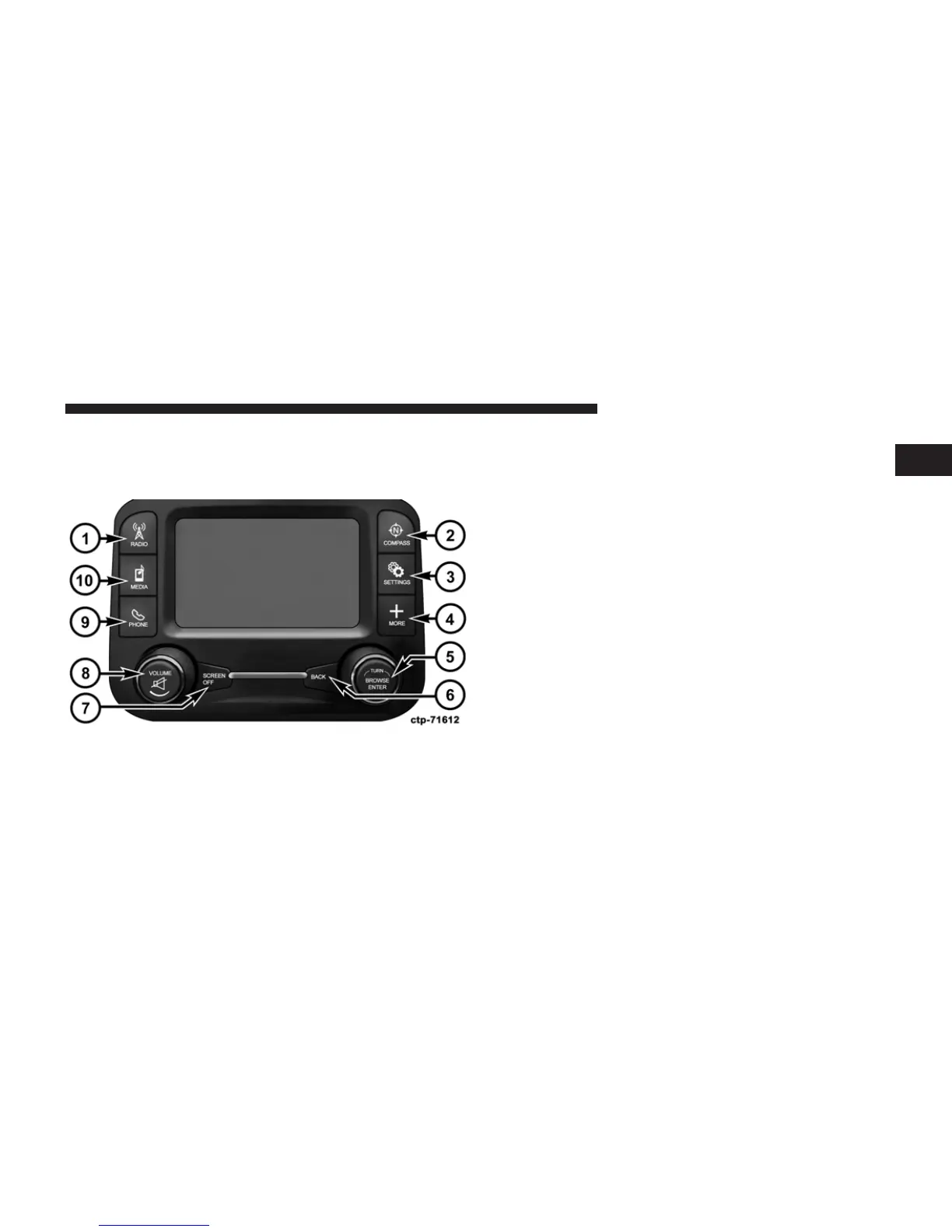
Uconnect™ 5.0
Uconnect™ 5.0 System
1. RADIO
Press the RADIO hard-key to enter the Radio Mode. The
different tuner modes; AM, FM and SXM can be selected
by touching the corresponding soft-keys in the Radio
Mode.
2. COMPASS
Press the COMPASS hard-key to display the current
direction of the vehicle.
3. SETTINGS
Press the SETTINGS hard-key to access the Settings list.
Clock, Display, Audio, Bluetooth and Sirius Settings are
described in this manual.
4. MORE
Press the MORE hard-key to access additional options.
5. ENTER/BROWSE & TUNE/SCROLL
1
Uconnect™ ACCESS USER’S MANUAL 23



 To Next Page