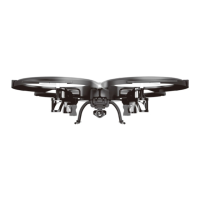
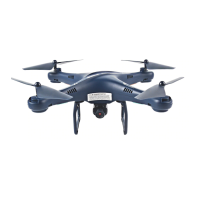
This document describes the UDIRC U28W Peregrine drone, a remote control model designed for ease of operation, featuring altitude hold and 3D stunt capabilities, and equipped with a WiFi 720P 120° wide-angle HD camera. The manual provides comprehensive instructions for installation, operation, maintenance, and troubleshooting, ensuring users can safely and effectively utilize the drone.
Function Description
The UDIRC U28W Peregrine drone is a sophisticated remote-controlled aircraft that integrates mechanical, electronic, and air mechanics principles. It is designed for both beginners and experienced RC drone users aged 14 and above. The drone's primary function is flight, offering various control modes and features to enhance the user experience.
Core Flight Functions:
- Altitude Hold Mode: This feature allows the drone to maintain a consistent altitude, simplifying control for beginners and providing stability for aerial photography. Users can adjust the altitude by pushing the Left Stick up or down and then releasing it to hold the new height.
- High/Medium/Low Speed Mode: The drone offers three speed settings to accommodate different skill levels and flying conditions. Low Speed Mode is ideal for beginners, Medium Speed Mode is suitable for flying in light breezes, and High Speed Mode is designed for experts to perform aerial stunts outdoors.
- Flip Mode: This mode enables the drone to perform 360° flips in any direction (forward, backward, left, or right). Users activate Flip Mode by pressing the dedicated button on the transmitter, then pushing the Right Stick to its utmost in the desired direction. The drone automatically exits Flip Mode after performing the stunt.
- Heading Hold Mode: Designed for beginners and users flying at a distance or in daylight, Heading Hold Mode allows the drone to be operated without concern for its orientation. The drone's "front" and "rear" are fixed relative to the user, meaning left is always left and right is always right, regardless of the drone's actual direction.
- One Button Take Off/Landing: For added convenience, the drone features a one-button function for automatic take-off and landing. Pressing the button once will cause the drone to ascend to approximately 1.2 meters and hover, while pressing it again will initiate an automatic landing.
- Emergency Stop: In critical situations, such as when the drone is about to hit people or obstacles, users can press and hold the Take Off/Landing/Emergency Stop Button for more than 1 second to immediately stop the propellers and cause the drone to fall. This function should only be used in emergencies.
Camera and Media Functions:
- WiFi 720P 120° Wide-angle HD Camera: The drone is equipped with a high-definition camera capable of recording video at 1280x720P and capturing images at 1280x720P. This allows for real-time image transmission to a mobile phone.
- Photo and Video Recording: Users can take photos and record videos directly from the drone via the mobile app. Photos are saved to both the mobile phone and the TF card, while videos are saved only to the TF card. Videos can be downloaded to the mobile phone when connected via WiFi.
- Real-time Transmission: The drone supports real-time image transmission to a connected mobile phone, allowing users to view the drone's perspective during flight.
- Media Gallery: The mobile app includes a gallery function to view or delete aerial videos and photos.
Control and Connectivity:
- 2.4GHz Remote Control Technology: The drone uses 2.4GHz technology for stable communication with the transmitter.
- Mobile Phone Integration: The drone can be controlled via a dedicated mobile application, "Flyingsee," available for both iOS and Android devices. This app provides a virtual control interface, gravity induction mode, flight route setting, and access to media functions.
- Frequency Pairing: Both the transmitter and the mobile app require frequency pairing with the drone before flight. The process involves powering on the transmitter, then the drone, and ensuring the drone is placed on a horizontal surface for successful pairing and calibration.
- Calibration Instruction: The drone can be calibrated if it becomes imbalanced after a crash or if trimming adjustments are insufficient. This involves a specific sequence of powering off/on and stick movements to reset the drone's internal gyros.
Safety and Protection Features:
- Low Battery Alarm: The transmitter will beep continuously when the drone's battery is low, and the drone's body lights will flash, signaling the user to land the drone promptly. The flip function is automatically disabled in low battery conditions.
- Out of Range Alarm: If the drone flies beyond the maximum remote control distance, the transmitter will emit an alarm, prompting the user to fly the drone back to avoid loss of control.
- Propellers Stuck Protection: In case a propeller gets stuck, the drone's body lights will flash rapidly, and the propellers will automatically stop to prevent damage. The user can reset this function by moving the left stick to the lowest end.
Usage Features
The UDIRC U28W Peregrine drone is designed with user-friendly features to make flying accessible and enjoyable.
Pre-flight Checklist:
Before each flight, users are advised to:
- Ensure a spacious flying field (at least 8M length x 8M width x 5M height).
- Verify that both the drone and transmitter batteries are fully charged.
- Confirm the Left Stick of the transmitter is in the middle position.
- Adhere strictly to the power-on sequence: transmitter first, then drone. And power-off sequence: drone first, then transmitter.
- Check that all battery and motor connections are solid.
- Inspect propellers for damage and ensure they rotate correctly (A propellers clockwise, B propellers counterclockwise).
- Adjust trimmer buttons if the drone tilts during flight.
Transmitter Operation:
The transmitter features a Power Switch, Left Stick (Throttle/Rudder), Right Stick (Forward/Backward/Left/Right), Left/Right Rudder Trimmer, Forward/Backward Trimmer, Left/Right Flying Trimmer, High/Medium/Low Speed Mode button, Heading Hold Mode button, and Take Off/Landing/Emergency Stop Button. The screen displays power indicator, trimming indications, and throttle digital display.
Mobile App Control (Flyingsee):
- Virtual Control Interface: The app provides on-screen virtual control sticks for flying the drone.
- Gravity Induction Mode: Users can control the drone's left/right and forward/backward movements by tilting their mobile phone.
- Flight Route Setting Mode: This feature allows users to draw a flight path on the screen, and the drone will automatically follow the drawn route.
- Real-time FPV: When using a VR headset, users can enter Virtual Reality Mode for an immersive First Person View experience.
- Settings: The app allows users to adjust parameters such as trimming and real-time transmission resolution (720P or 480P).
Propeller Installation:
The manual provides clear instructions for removing and installing propellers using a spanner, ensuring correct propeller type (A or B) is matched with the motor axis.
Maintenance Features
Proper maintenance is crucial for extending the life and ensuring the safe operation of the UDIRC U28W Peregrine drone.
Battery Care:
- Charging: Use only the recommended charger (a 5V 2A adapter is suggested for faster charging). The USB indicator light turns green when fully charged.
- Storage: If the drone is not flown for more than a week, maintain the battery at approximately 50% charge to preserve its performance and lifespan.
- Safety Precautions:
- Avoid high temperatures, fire, or heating devices.
- Do not crash or hit the battery against hard surfaces.
- Keep the battery dry and away from water.
- Do not open the battery.
- Never leave the battery unattended during charging.
- Ensure no short circuits in the power wire.
- Regularly check the charger for damage.
- Disposal & Recycling: Wasted Lithium-Polymer batteries must not be disposed of with household trash. Users should contact local environmental agencies or suppliers for proper recycling.
General Device Care:
- Spare Parts: Only use UDIRC's spare parts for replacement to ensure safety and proper function. A list of spare parts is provided in the manual.
- Cleaning: Power off the drone before cleaning.
- Environmental Considerations:
- Keep the drone away from humid environments to protect electronic components.
- Avoid heat and direct sunlight to prevent distortion and damage to plastic and metal parts.
- Do not touch hot motors to prevent burns.
- Post-Crash Inspection: After a crash, check for motor defects, noise, or any issues affecting flight status. Replace damaged parts promptly.
Troubleshooting Guide:
The manual includes a detailed troubleshooting guide covering common issues such as:
- Transmitter indicator light off (low battery, incorrect battery installation, poor contact).
- Failure to pair with the drone (indicator light off, signal interference, misoperation, damaged electronic components).
- Drone unable to fly (deformed propeller, low battery, incorrect propeller installation).
- Drone unable to hover or tilting (deformed propeller, deformed motor holder, gyro not reset, damaged motor).
- Drone indicator light off (low battery, expired battery, poor contact).
- Inability to see the camera picture (disconnected camera wire, signal interference, damaged camera).
- Difficulty controlling via cellphone (lack of experience).
Each issue is accompanied by a suggested solution, guiding users through diagnostic and corrective actions.


 To Next Page
 General