S9510-28DC Hardware Installation Guide | 13
6 Installing Fan Modules
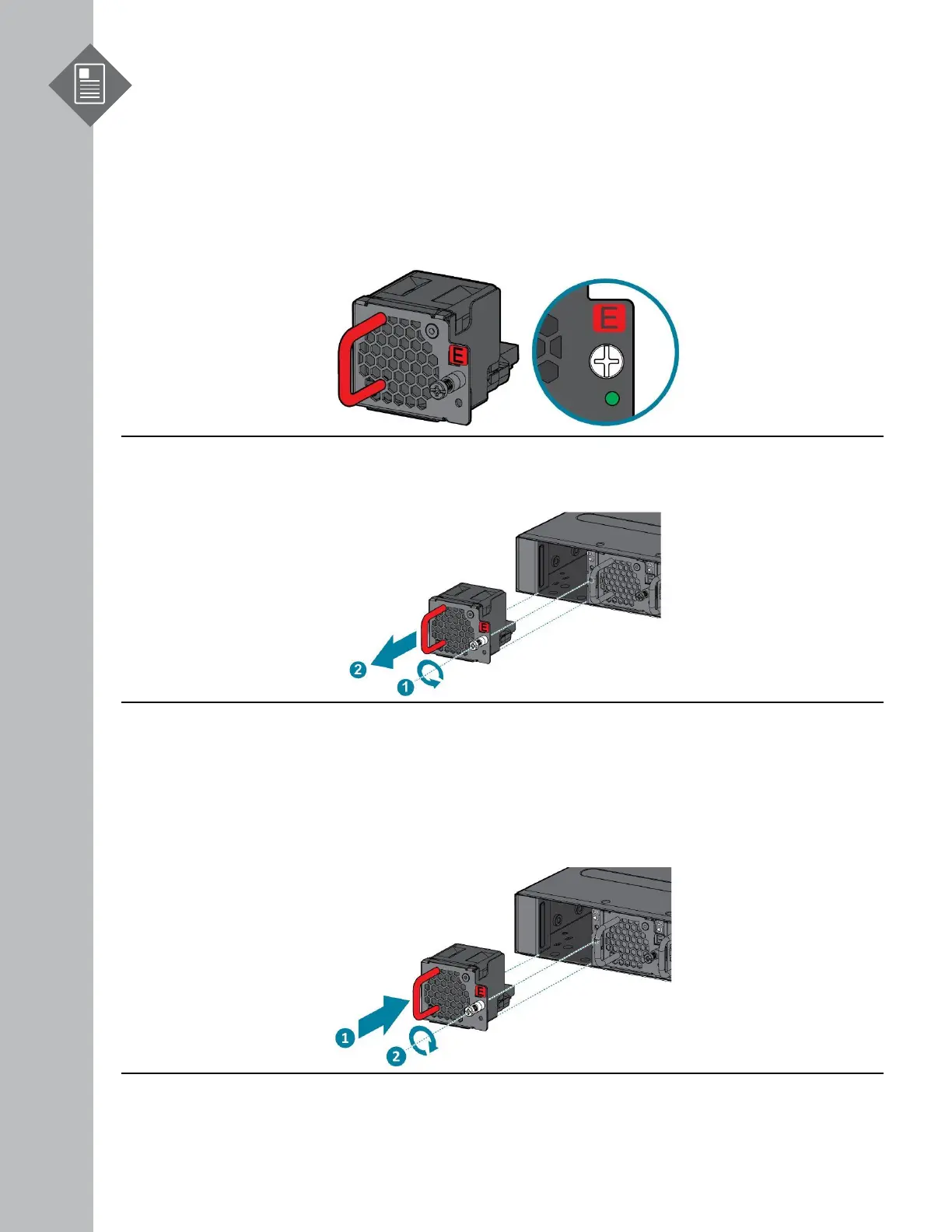
The fan modules are hot swappable field replaceable units (FRUs), which can be replaced while the
router is operating as long as all the remaining modules are installed and in operation. The fans
come pre-installed and the following steps are instructions on how to install a new fan module.
1. Loosen the captive screw located on the fan module.
Figure 20.
3. Align the new fan module with the fan bay.
4. Carefully slide the new fan module into the fan bay and gently push until it is flush with the
case.
5. Secure the captive screw on the fan module to lock the fan in place.


 To Next Page