S9510-28DC Hardware Installation Guide | 23
12 Cable Connections
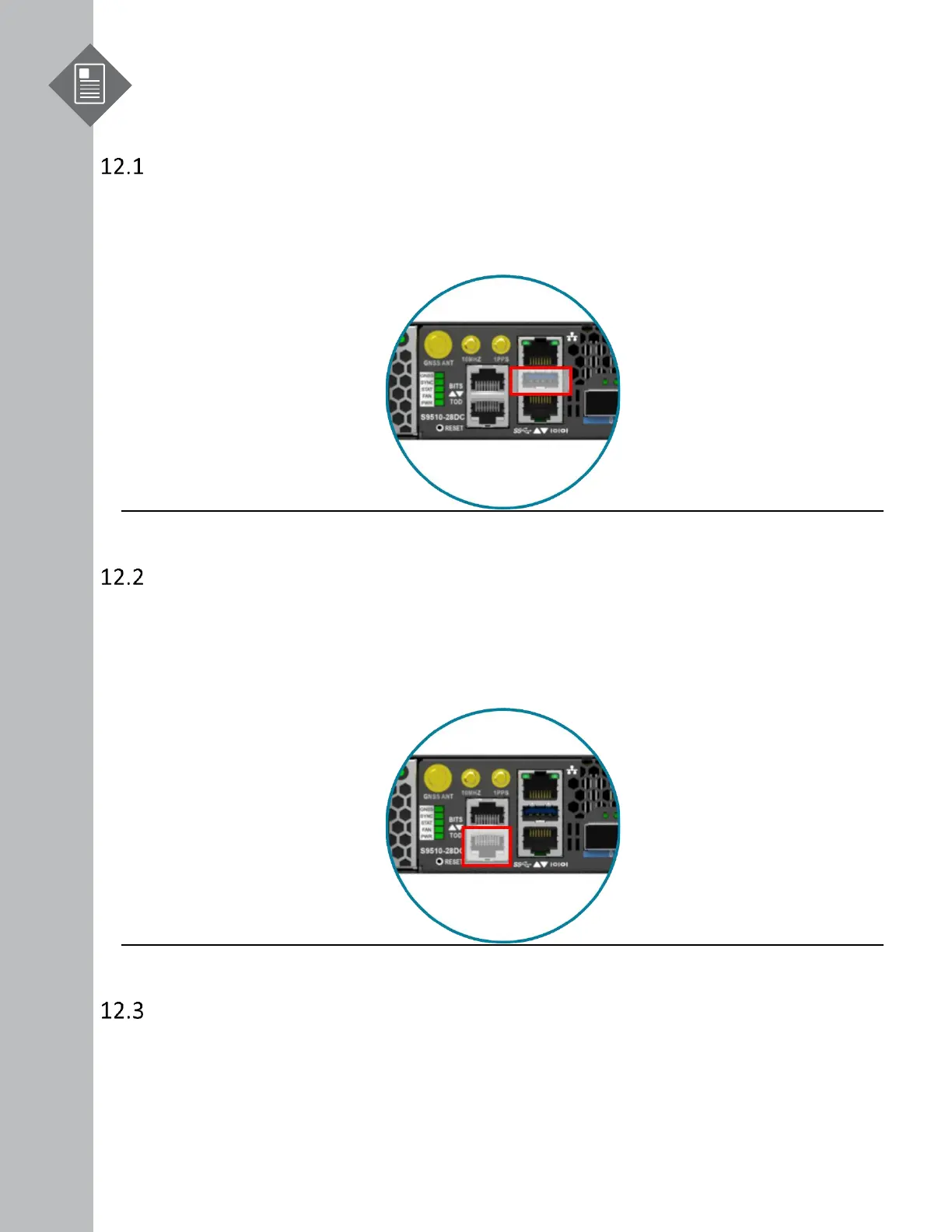
Connecting the USB Extender Cable
Connect the USB 3.0 A Type plug (male connector) into the USB port (female connector) located
on the front panel of the router.
Figure 35.
Connecting a Cable to the ToD Interface
1. Connect one end of a straight-through Ethernet cable to the GNSS unit
2. Connect the other end of the straight-through Ethernet cable to the port marked “TOD”
located on the front panel of the router.
Figure 36.
Connecting the GNSS Interface
Connect an external GNSS antenna with an impedance of 50 ohms to the port marked “GNSS ANT”
located on the front panel of the router.


 To Next Page