3. Display the icon in taskbar
Tick this and then icon will be displayed on your taskbar/system tray
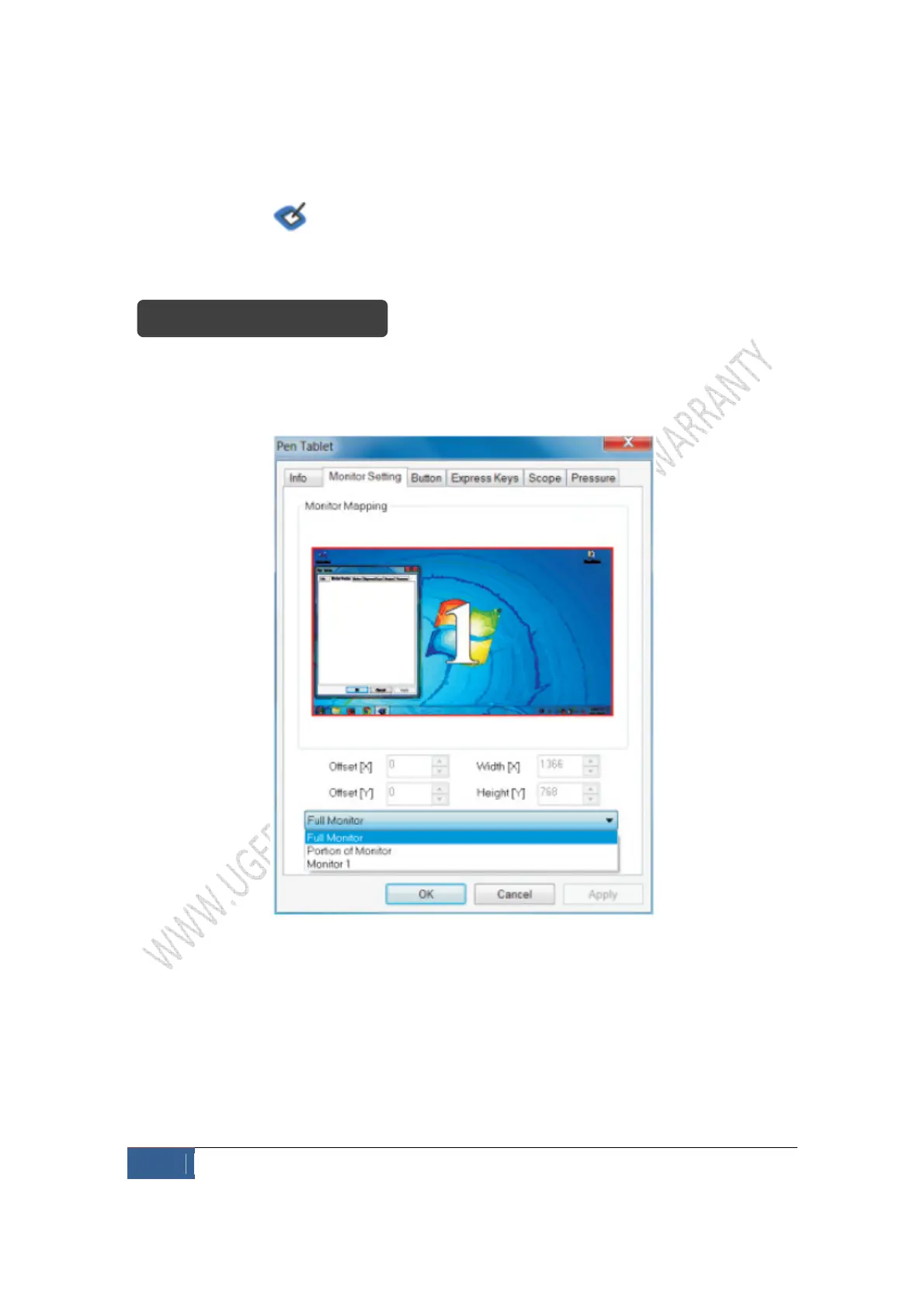
Monitor mapping option makes it possible for you to correspond to two screens or a
single one.
Exhibit 1 – Single monitor mapping
The above shows mapping option for 1 monitor. When the computer is set up for two
screens, the tablet corresponds to two screens; if you move your pen/cursor from left to
write, the cursor on the screen should move from 1 monitor to another.


 To Next Page