- 03 -
User Guide
Display Settings for Windows 11
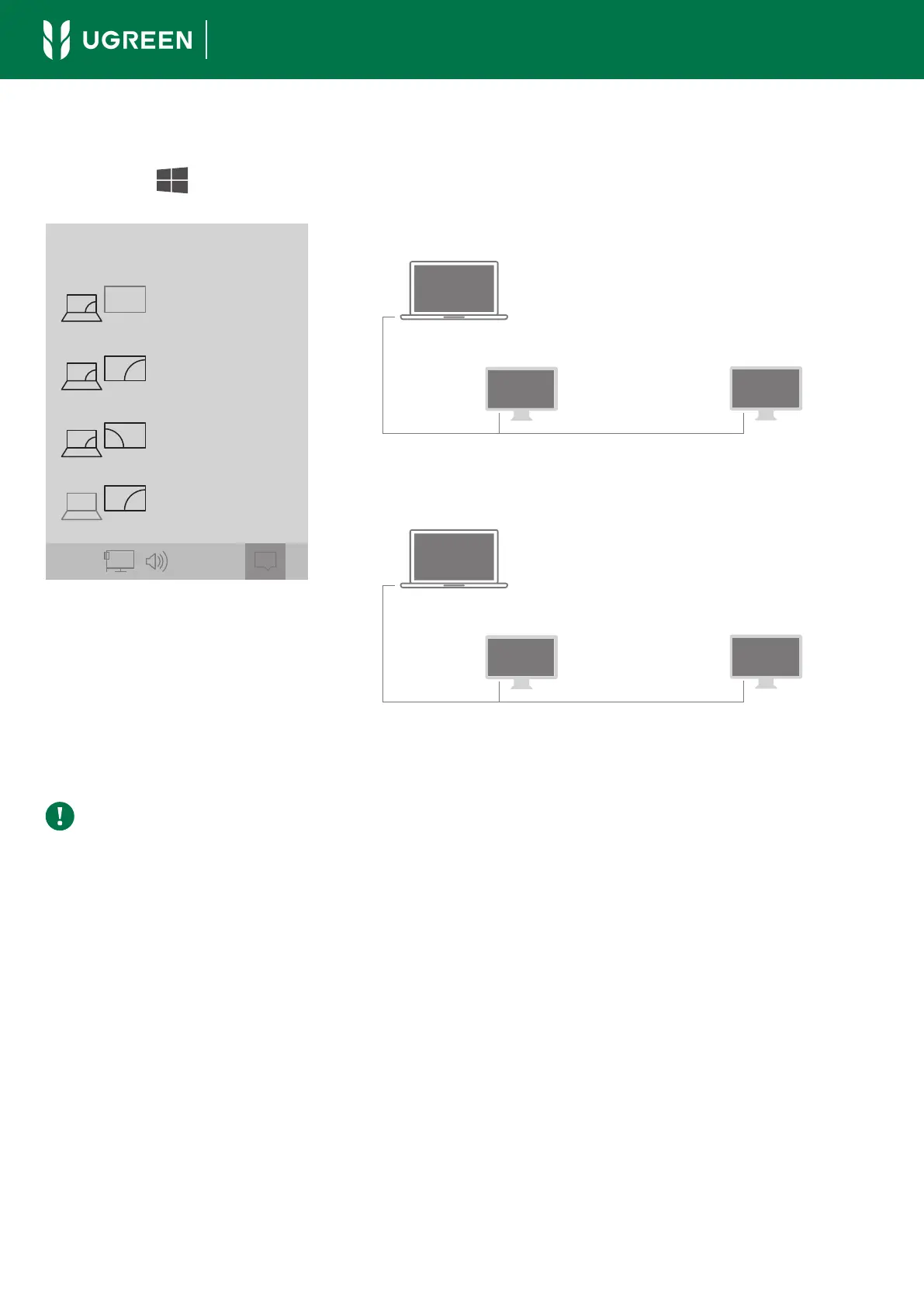
Click the " " + "P" simultaneously to select the display mode.
① Duplicate Mode
PC screen only
PROJECT
Duplicate
Extend
Second screen only
10:29 AM
A
A
Source Device
A
Thunderbolt 4 Display DP or Thunderbolt 4 Display
② Extend Mode
A
C
Source Device
B
Thunderbolt 4 Display DP or Thunderbolt 4 Display
Note
The above illustrations are for reference purposes only. You can enter the "Display
Settings" for more display modes.



 To Next Page