VIDEOSTUDIO HELP
Table of Contents | Index Back
37
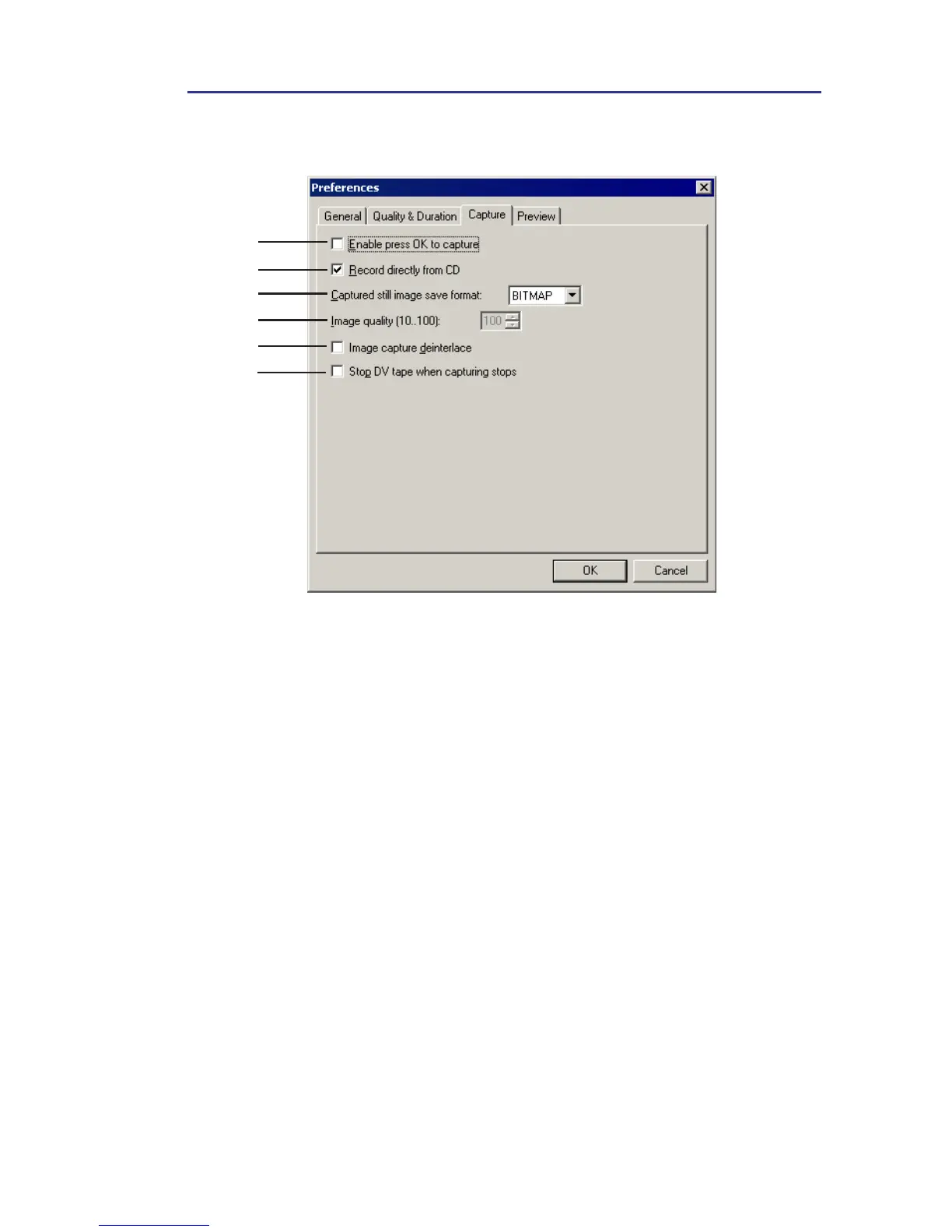
Preferences: Capture tab
1
2
4
3
5
6
1 Enable press OK to capture allows you to press OK to start capturing.
2 Record directly from CD allows you to record an audio track directly
from a CD.
3 Captured still image save format specifies the format to which your
captured still image file will be saved as.
4 Image quality determines the display quality of the captured image. The
higher the quality, the bigger the file.
5 Image capture deinterlace enables constant image resolution when
downloading files, as opposed to the progressive image resolution
available with interlaced images.
6 Stop DV tape when capturing stops enables the DV camcorder to
automatically stop the tape playback after a video capture process is
complete.



 To Next Page