VIDEOSTUDIO HELP
Table of Contents | Index Back 94
Creating disc
This is the place where you can output your project (together with
other VideoStudio projects or video as needed) to create VCD,
SVCD, or DVD. First, choose an output format. Second, decide
whether you want to add other projects and videos. See the
following sections for more information.
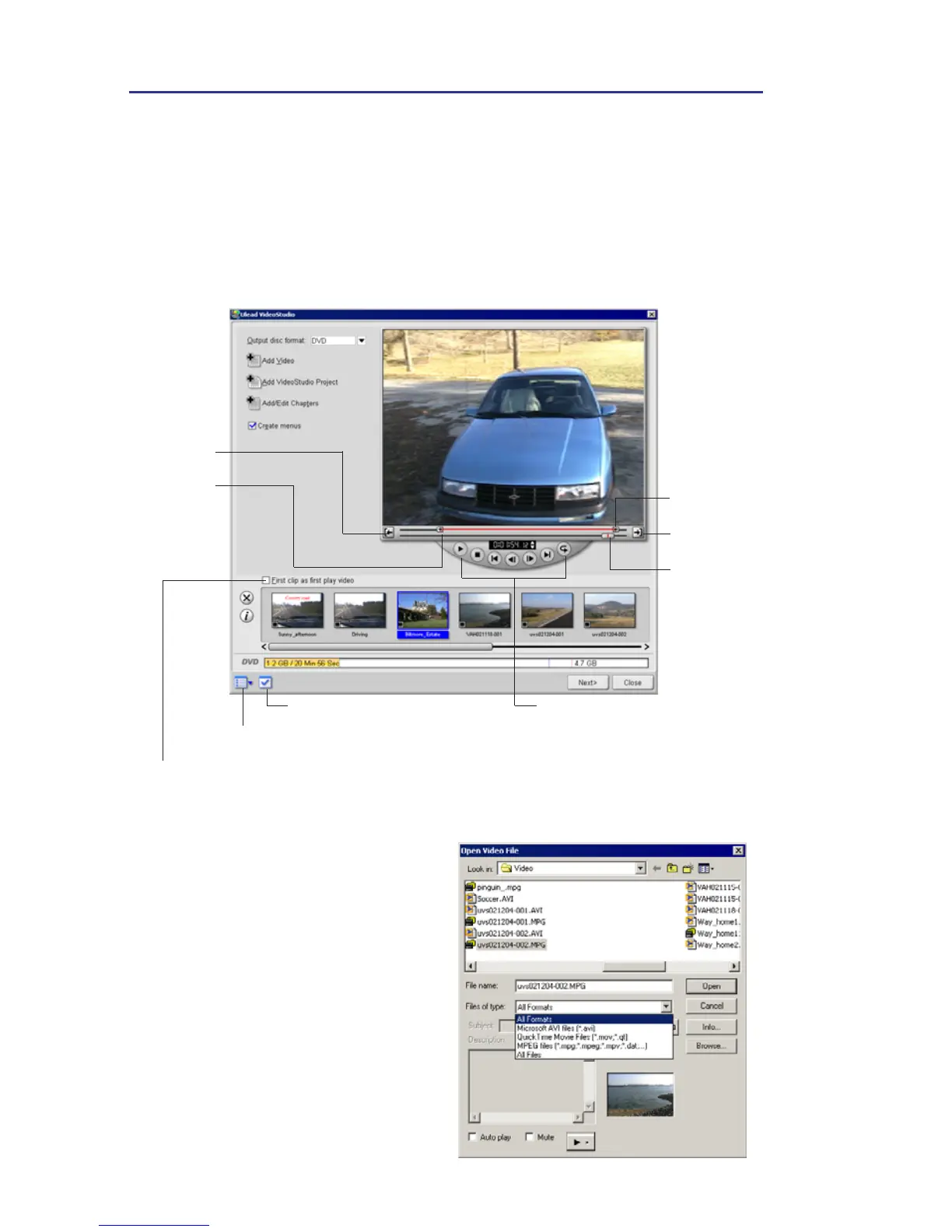
To add videos:
1. Click Add Video.
2. Locate the folder where the
videos are, and then select one
or more video clips you want
to add.
3. Click Open.
Navigation controls
Jog Bar
Set Mark-out
Mark-out
Mark-in
Set Mark-in
Select this to create an introduction to your movie. The first play video is
always playbacked first automatically after the disc is inserted into a player.
Project settings
Preferences and templates



 To Next Page