8 ULVAC CRYOGENICS INCORPORATED
5. Operation
5.1 Turn ON MBD-D
Turn ON the power supply of MBD-D. If there is any sign of abnormal behavior and/or hazard
on the device, shutdown the branch power supply for MBD-D. Refer to “6. Troubleshooting”
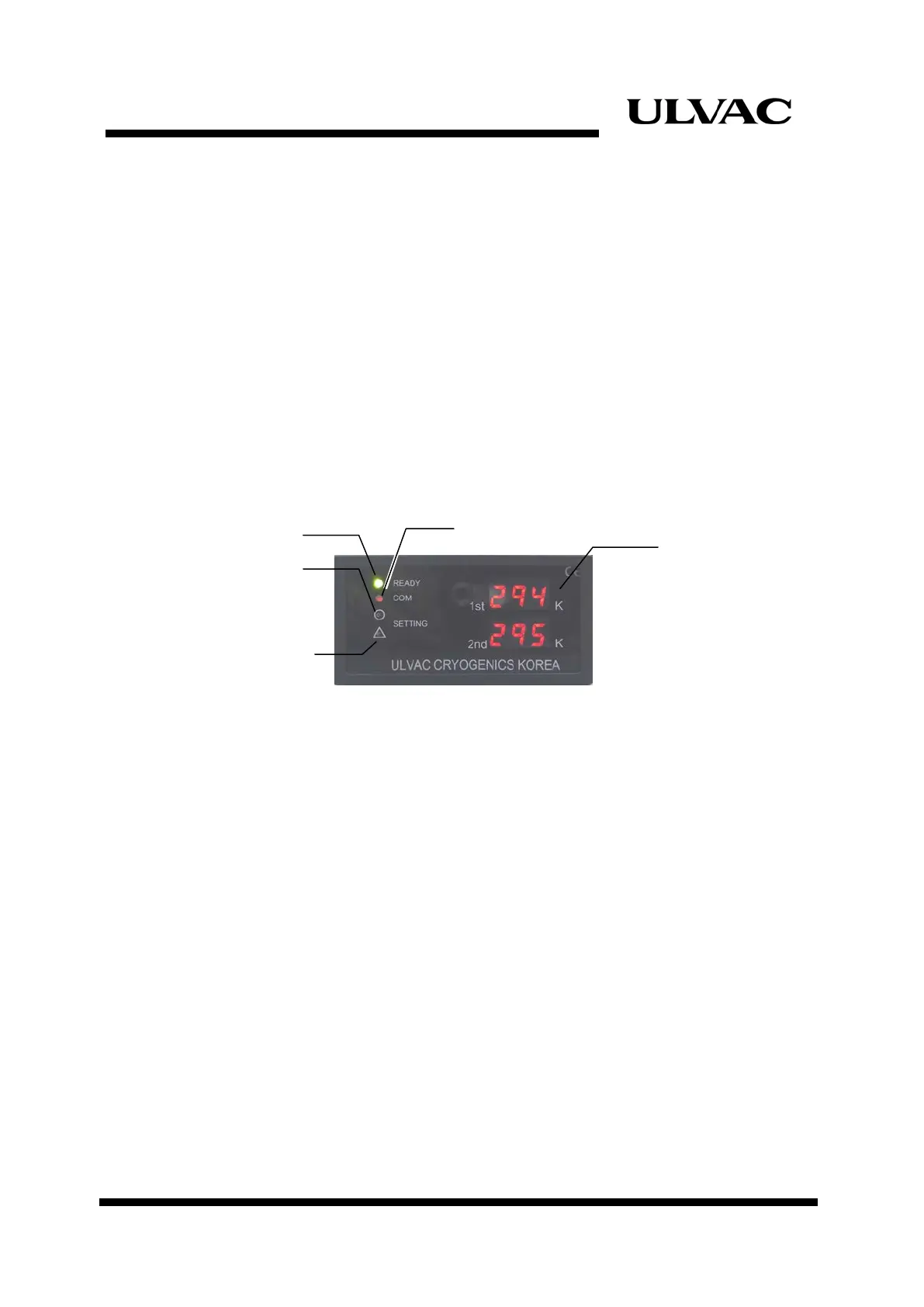
and check cable routing. After turning ON the power, check that READY light is illuminated.
If the READY light blinks, the cable of the first-stage (K Thermo) or the second-stage (ANALOG
IN) may be disconnected.
5.2 Monitor the Temperature with MBD-D
The MBD-D allows you to monitor the cryopump temperature in an easy and prompt manner
by digitally displaying the first and second-stage temperatures of a cryopump.
Figure 5-1 MBD-D Display
5.3 MBD-D Communication Function
The MBD-D can communicate with the C30S compressor unit.
Connect the MBD-D and C30S at RS485 port with C30S cable (optional) to display cryopump
temperature on the C30S. The measured temperature data can be recorded with the Data
Logging function of the C30S. The COM light blinks in red or green while data transmission is
taking place (green while sending, red while receiving the data).
Following settings are needed to use the communication function.
(1) Adjust the Transmission Speed
It is necessary to make the transmission rate consistent with the MBD-D to communicate. The
rate can be set with the switch <2> of <Register> on the back of the MBD-D. Turn ON the
switch <2> to set the transmission rate at 19200bps. When the switch is OFF, the
transmission rate is 9600bps.
READY Light
Temperature of a
cryopump
COM Light



 To Next Page