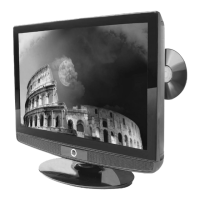
Need help?
Do you have a question about the UMC 15/4 and is the answer not in the manual?
Advises against opening the TV and refers to authorized service agents for repairs.
Precautions against fire, electric shock, moisture, and proper ventilation.
Guidance on the fused plug, mains cable replacement, and cleaning the TV.
Instructions on saving packaging for warranty or service repair purposes.
Explains screen burn and provides examples of images to avoid displaying for long periods.
Lists specific examples of images that may cause screen burn.
Lists all accessories provided with the TV, including remote, cables, and batteries.
Step-by-step guide to tuning digital TV channels using the remote control.
Description of the initial setup screen and auto search process.
Instructions for manual channel search if auto search fails or for specific tuning needs.
Details the function of each button on the remote control for TV operation.
Identifies the buttons located on the top panel of the 15/4 model TV.
Identifies the buttons located on the front panel of the 15/6 model TV.
Diagram and labels for rear connection ports on the 15/4 model.
Diagram and labels for rear connection ports on the 15/6 model.
Illustrates the rear connection ports and their usage.
Guide on how to switch between different input sources like DVB, TV, AV.
Adjusts brightness, contrast, colour, and sharpness for optimal picture viewing.
Adjusts balance, audio presets, bass, and treble for sound enhancement.
Configures blue screen, noise reduction, input source, and resets TV to factory defaults.
Information on viewing channel details, deleting, renaming, and locking stations.
How to create and manage favourite channel lists for quick access.
Process for scanning and adding newly available digital channels.
Covers OSD transparency, first time installation, system info, and pin code changes.
How to change the picture aspect ratio between 4:3 and 16:9.
Guide on viewing TV schedules, program details, and navigating days/channels.
Covers program tuning, fine tuning, system adjustments, and manual search options.
Instructions for changing channel order and swapping channel positions.
Scanning for all channels based on current TV settings.
How to change the TV's region setting when moving to a different country.
How to access, navigate, and exit Teletext pages using the remote.
Explains the function of buttons like SIZE, INDEX, REVEAL, and SUBPAGE.
Configuring PC screen resolution and refresh rate for optimal display on the TV.
Step-by-step guide for connecting the TV to a PC running Windows XP.
Adjusting brightness, contrast, and colour settings in PC mode.
Instructions for removing the TV stand for both 15/4 and 15/6 models.
Guidance on attaching a wall mount to the TV, including screw length precautions.
Steps for connecting a Sky Digital box to the TV using a SCART cable.
Instructions for connecting a Sky Digital box using an RF cable.
Information on using Sky Digital or universal remotes with the TV.
Troubleshooting tips for not receiving digital channels, including aerial and area checks.
Troubleshooting tips for not receiving analogue channels, checking RF connection and aerial.
Solutions for high-pitched sound, tilted TV stand, and dark picture issues.
Detailed technical specifications for the 15/4 LCD TV model.
Detailed technical specifications for the 15/6 LCD TV model.
Details about the 12-month manufacturer warranty and return process.
Provides helpline number, email, and website for customer support and service.
 General
| Display Technology | LCD |
|---|---|
| Screen Size | 15 inches |
| Aspect Ratio | 4:3 |
| Brightness | 250 cd/m² |
| Resolution | 1024 x 768 |
| Inputs | VGA, Composite, S-Video |
| Power Consumption | 30 W |

 To Next Page